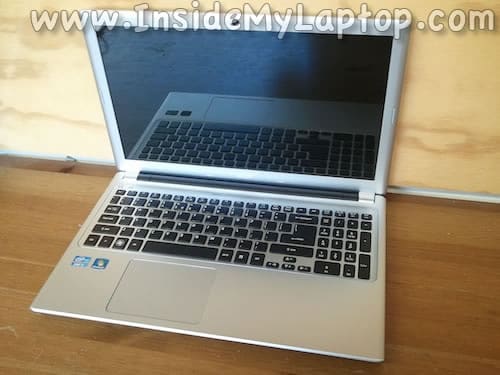
In this guide I will take apart an Acer Aspire V5-571 series laptop.
The main purpose of this disassembly is removing and replacing the hard drive which is mounted under the palm rest.


In this guide I will take apart an Acer Aspire V5-571 series laptop.
The main purpose of this disassembly is removing and replacing the hard drive which is mounted under the palm rest.

In the following guide I will disassemble an Acer Aspire V3-551-8469 laptop in order to remove the cooling fan.
The fan is mounted deep inside the case, under the motherboard.
In this guide I explain how to disassemble an Acer Aspire 5250 laptop.
In my example I’m working with Aspire 5250-0437 model.
In the first part of the guide I will take apart the laptop base (steps  1-20).
In the second part I will disassemble the display panel (steps 21-29).
Today I will be taking apart an Acer Aspire E1-531-2438 laptop.
My goal is to access and replace the cooling fan which failed and started making noise. Cleaning the fan didn’t help.
Most likely this guide will fork for other Aspire E1 series models. Continued
In this guide I will show how to disassemble an Acer Aspire V5-572G-6679.
The guide has two parts. In the first part I explain how to access important components located under the bottom cover.
In the second part I explain how to disassemble the display and remove the screen.
In this guide I’ll be taking apart an Acer Aspire 4830T in order to access and replace the cooling fan.
In my case it started making lots of noise.
In this model there is no easy access to the fan, it’s mounted inside the case, under the keyboard.
In the following guide I explain how to disassemble an Acer Aspire M5.
The full model name on the bottom sticker  says: Aspire M5-581T-6490.
Most internal components in this model can be replaced after you remove the top cover assembly.
In this guide I explain how to replace the LCD screen on an Acer Aspire 1830T series laptop.
In my case the laptop was dropped and it stopped displaying the image correctly.
In this guide I explain how to disassemble an Acer Aspire 5742 series laptop.
In my case I’m taking apart an Acer Aspire 5742-6682 model.
Also, this guide will work for Acer Aspire 5742z.
In this guide I explain how to remove and replace the LCD screen on an Acer Aspire one D255E netbook.
As you see, in my case it was cracked.