

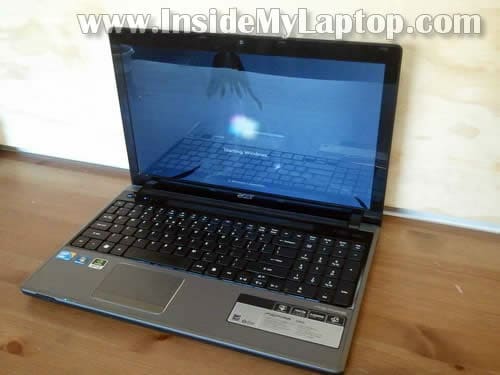
Here I explain how to replace damaged screen in an Acer Aspire 5745G laptop. This guide should work for the entire Acer Aspire 5745 series.
In my example I’ll be replacing the damaged screen in a display panel which is separated from the laptop.
I removed the display panel in the previous disassembly guide.
But it’s not necessary to remove the display panel. You should be able to replace the screen while the display panel still attached to the laptop. It will be a little bit harder to remove the bezel but possible.

Let’s replace it.
STEP 1.
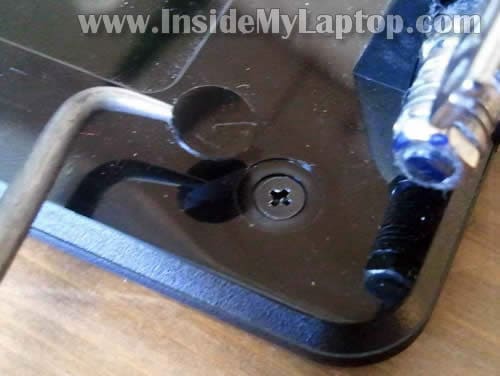
You’ll find two screw covers in the lower left and right corners of the display panel.

Remove both covers with a sharp object.
After that remove both screws securing the bezel.
STEP 2.
Start separating the bezel from the display cover on the top.
Wiggle the bezel until it’s separated from the cover. There are many hidden plastic latches holding the bezel attached to the cover.

STEP 3.
Continue separating the bezel from the cover.
NOTE: most likely the bezel will be glued to bottom part of the screen with double sticky tape.
Work slowly. Carefully unglue the bezel.

STEP 4.
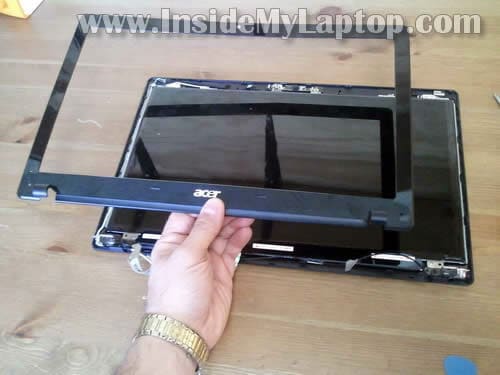
Remove the bezel.
STEP 5.
Remove four screws securing the LCD to the display cover.

STEP 6.
Separate the LCD from the cover so you can access the video cable connector on the back.

STEP 7.
The video cable can be accessed now.

STEP 8.
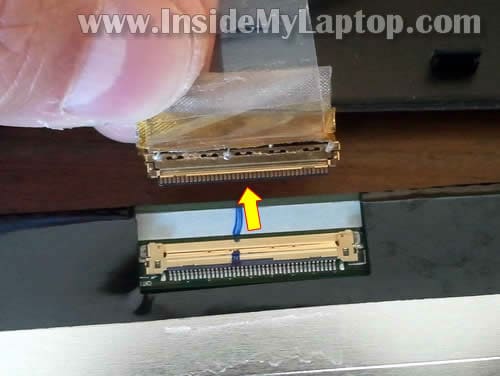
Remove any tape securing the video cable connector and unplug the cable.
STEP 9.
Now you can remove the damaged screen and replace it with a new one.

You can search for a new LCD using the model number from the original part.
The model printed on the back of the screen. In my case the LCD model number is: LP156WH3 (TL)(A2).

shyrock
Hi nice to meet you 🙂 so can I chance my acer aspire LCD to LED screen laptop?my acer model 4930,to buy new laptop it’s to expensive,can u teach me to change it 🙂
IML Tech
@ shyrock,
I don’t understand your question, but if you want to UPGRADE your screen from CCFL LCD to LED LCD you cannot do that.
Stefano
Hi,
I have to replace the LCD cover, but I see that there are some cables soldered. Are they part of the cover and the new cover will is equipped?
Thanks
IML Tech
@ Stefano,
I’m not sure which wires you are talking about but I guess they are wireless card antenna cables. If the new cover doesn’t have Wi-Fi antenna cables, you’ll have to transfer them from the old cover.
james
how to dissasemble the Acer Travellmate 6592G and replace the power jerk that has get inside
marco
Hi I try to cover lcd interior and exterior of the notebook Acer Aspire 5745G acer with the following codes:
60.PU407.002 cover lcd / antenna
60.PTN07.005 cover lcd / logo if available I would like to know the cost grazie.-
matze
great ‘how to guide’. It guided me perfectly when replacing lcd cable. Thanks!!!