


I have made this digital picture-photo frame from an old Toshiba Satellite laptop. This project took me half a day but the result was very rewarding. My new 14″ digital photo frame works just great and I have tons of space for all my pictures.
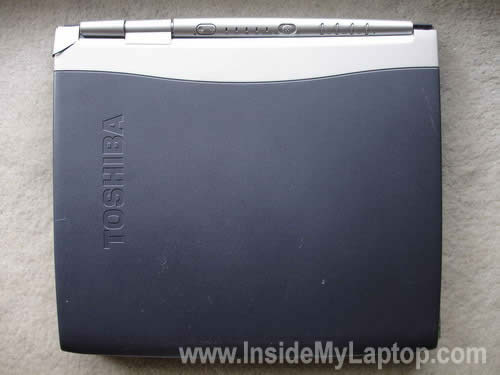
My laptop was in a good working condition but the LCD cover was cracked and the laptop wasn’t powerful enough to handle some applications. Instead of selling it for $80-90 I decided to convert this old lappy into something useful.

First of all, I had to find a frame witch is big enough for my project. I found a really good wooden frame in a local Fred Meyer store for $20.
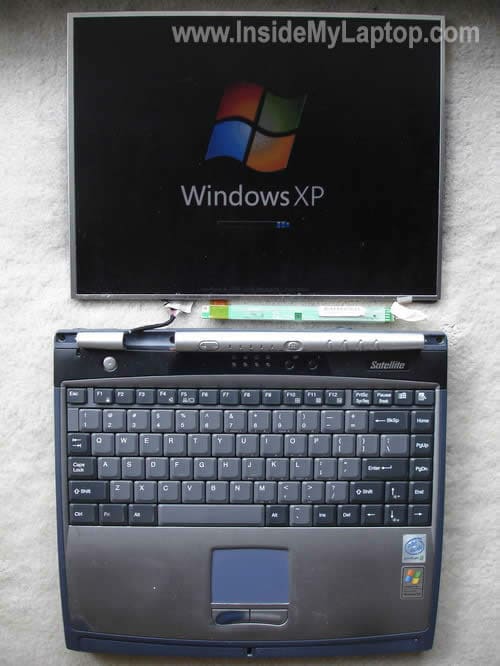
The display panel had been disassembled. I removed front bezel, LCD cover and hinges.
For this project you’ll need a laptop with a long flexible video cable.
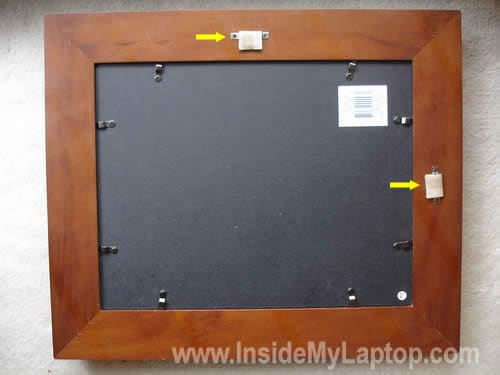
On this picture you see the back side of my frame. I removed both original wall mounting brackets and later I’ll replace them with more reliable brackets.
The LCD screen will be mounted under the black cover. In my case, I opened 8 locks and removed the cover.

The screen had been disconnected from the laptop. I positioned the screen inside the frame. In order to secure the LCD inside the frame, I had to cut off 4 pieces from the frame packing cardboard. These cardboard pieces will fit tightly between the LCD and the frame, so the screen stays in the same place all the time.
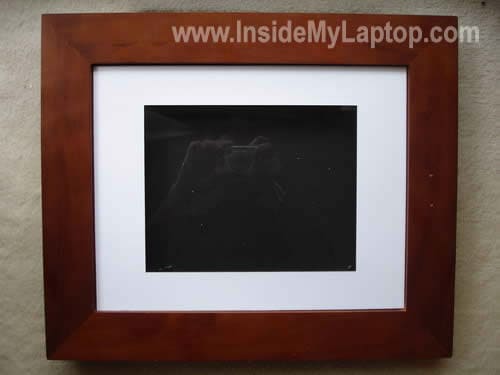
As you see, the inner paper frame is not big enough for my 14″ LCD.
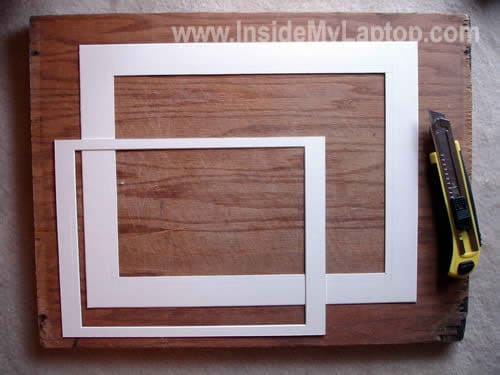
I had to remove the inner paper frame and resize the internal part of the frame to fit better.
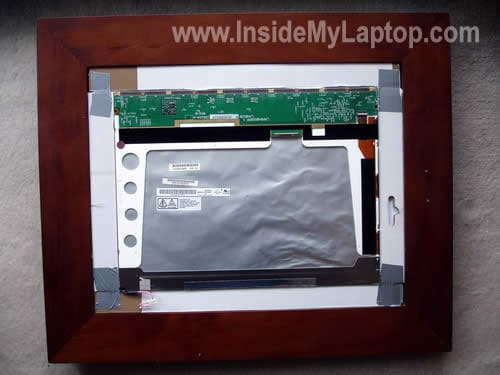
After that I installed the inner frame back in place, placed the LCD inside the frame, installed four cardboard pieces and secured them with duct tape.
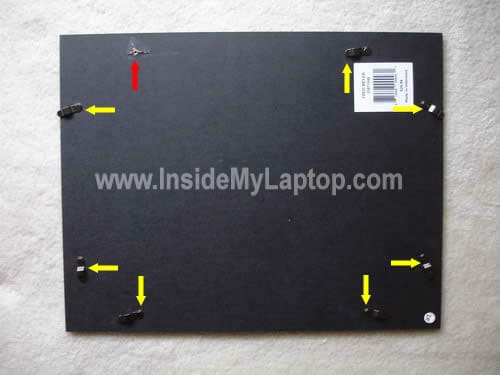
This black cover will be placed above the screen and will separate it from the laptop. Before I placed the cover in the frame, I had to remove 8 locks.
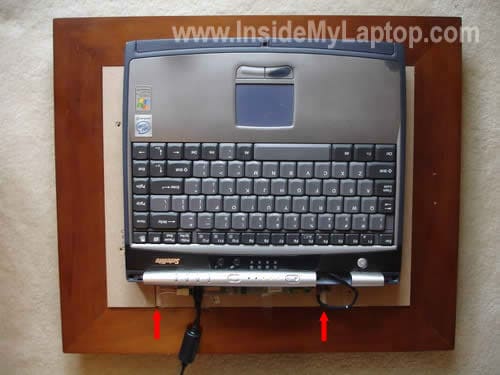
The laptop had been placed on the top of the cover. I had to cut off two openings in the cover, so I can run the video cable.
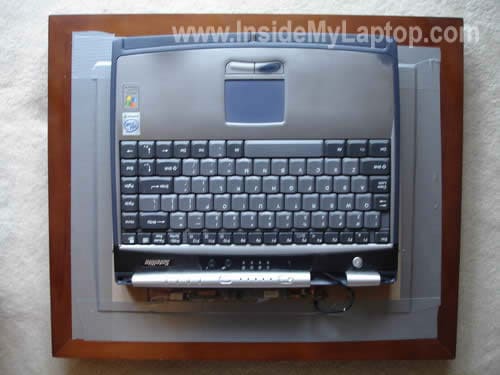
I secured the cover to the frame with duct tape. Now the screen is sealed pretty good and duct tape will prevent dust from getting inside.

Finally, I secured the laptop base to the frame with a few wooden bars. Doesn’t look very sexy? Who cares! You’ll never see the back side of my frame when it’s placed on the wall. I also secured the power cable to the frame.

My digital picture-photo frame is almost done. Now I’ll have to attach the wall mounting brackets.
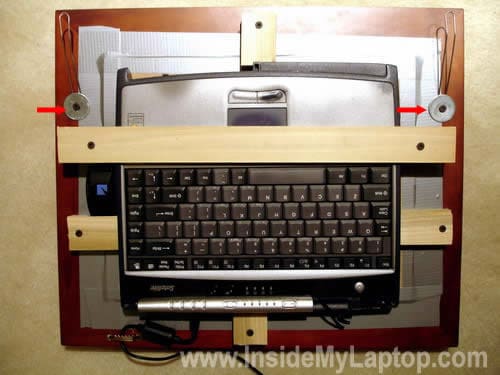
I made two brackets from a 2mm wire. Should be strong enough to keep my frame on the wall.

Before I placed my brand new photo frame on the wall, I uploaded all my pictures to the hard drive via wireless connection. I installed Google Picasa software (free) and set the screen saver to start playing all my pictures after 1 minute.
Now, when I press on the power button, the laptop loads Windows and after one minute the screen saver kicks in.
Gilson
Dear friend,
I got your nice idea… but I have anothe doubt.
I have one old laptop Toshiba protégé 7000 serie and one electronic picture frame with card reader.
I saw that the picture frame has 6 cables connected from 7″ diplay to the card board, but the laptop display has one dozen of cables…
Can I connect both ( laptop display + picture frame card) …. and how to do it
Thank you
IML Tech
Gilson,
I doubt that you can connect your laptop display to the picture frame.
SSG Losoya, Michael
DIY Tech Guys,
I was just trying to get more information on opening my D820 and came across this great idea. I work in a computer shop in Iraq and had to get rid of a lot of broken down laptops, well instead of throwing the next one out I plan on doing this project with my spare time. Hard part out here will be finding the frame. I will be attempting this with a Dell 610/610. Wish me luck..I can rip these things apart and put them back together with ease, but never thought about makeing one of these..Thanks for sharing this project…
SSG Losoya, Michael
1st Cav Division, 3BCT
FOB Marez, Iraq
IML Tech
Michael,
You are welcome. I really glad I made the frame. It still works great and have it on the wall.
Paul
Excellent idea, well implemented, but wouldn’t this use a lot more electricity that a dedicated photoframe? Just something to be aware of with the price of electricity increasing sharply every year.
KK
Why not just hang the laptop on the wall .. c’mon folks .. folding a laptop on the back of a frame isnt a digital frame .. so why not try this .. buy a conventional TV and make a hole to the wall enough to fit this in and make it look like a flat screen, on the room behind, you will see the remaining but not from the living room 😉 Sorry but i did not like the idea. ..
DWAYNE
That is just AWESOME, I will have to look into that!
nancie
as comment to KK.(LOL,) I believe this section is called “fun things” and not the most spectacular or even reasonable! I Hate discarding electronics, recently dumped 4 monitors and all I could think of was what fun stuff fo the house, including security uses. Sure it looks bit ungainly and chunky but…what fun..I like it!
akash
very nice
dgitts
lol, this looks like a fun project, I would have removed the screen hinges, turned the lcd backwards on the laptop and bolted it to the bottom of the laptop leaving leaving enough room for the fans, then punched holes on the top where the keypad is for wall mounts and voila! Although I would add that replacing XP with a lite linux distro (maybe DSL Linux) would help in running a thin os and will definitely save on boot/load times and may save on electricity too.
I have a few other ideas for old laptops although they are all for small business/office setups, like running a dedicated print server, or a small network Intrusion Detection System, or even a wifi radius server.
Fahad
Very Nice. Now, i am going to do this project with my Uncle’s old Hp Laptop and i am pretty sure i am going to get awesome results and masterpiece frame hanging in my Guestroom 😀