

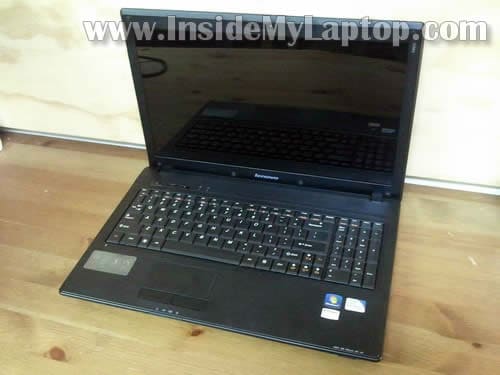
In this post I explain how to replace LCD screen on Lenovo G560 laptop.
My Lenovo G560 had an LED-backlit LCD installed. I’ll explain how to search for a compatible replacement the end of this post.
Before you start the disassembly process make sure it’s turned off and battery removed.
STEP 1.
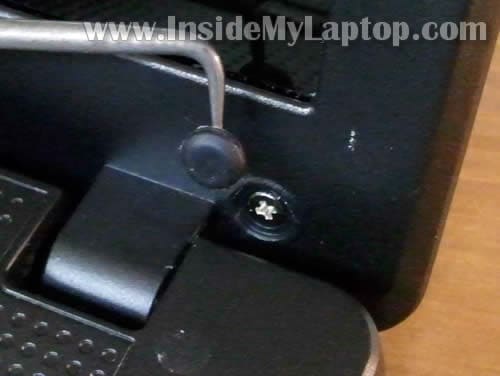
You’ll have to remove six screw covers located on the front bezel.
Two covers on the lower part of the bezel and four more covers on the upper part of the bezel.

You can remove screw covers with a sharp object.
After all covers removed, remove six screws.
STEP 2.
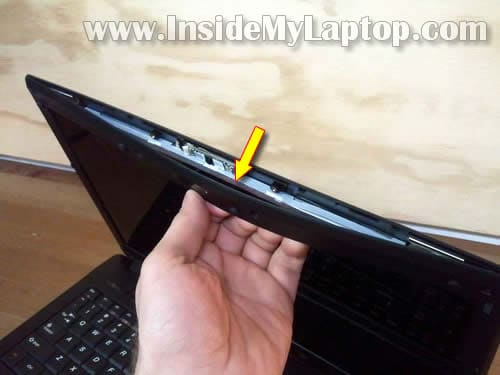
Insert your fingers under the bezel as it shown on the following picture.
Wiggle the bezel a little bit and start separating it from the back cover.
There are hidden plastic latches securing the bezel.
STEP 3.
Continue separating the bezel on the display sides.
You can use a small piece of soft plastic for that. Insert it between the bezel and back cover and slowly move along the side. At the same time continue removing the bezel with your fingers.

STEP 4.
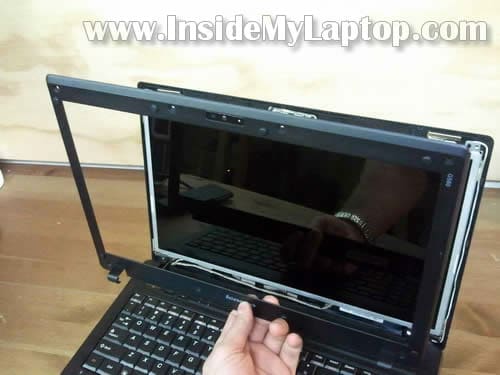
The bezel has been removed.
STEP 5.
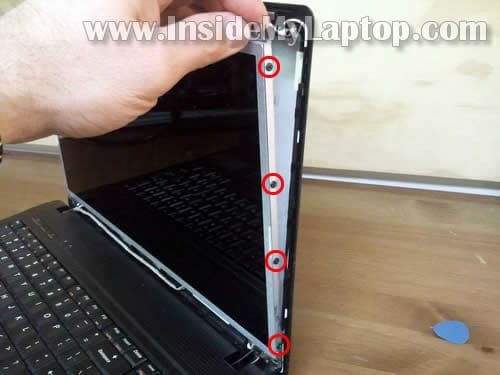
Carefully separate the LCD assembly from the back cover so you can access screws on the side.
Remove four screw on the right side of the display.
STEP 6.
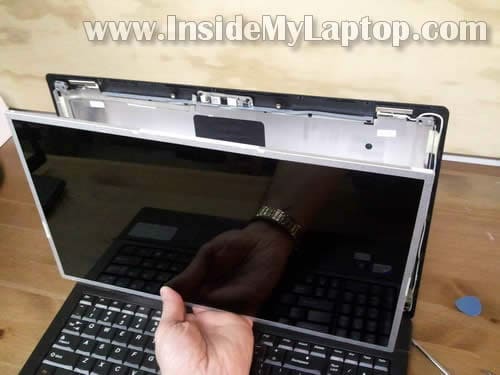
Separate the LCD assembly from the back cover and place it face down on the keyboard.

STEP 7.
Now you can access the video cable.

STEP 8.
Remove sticky tape securing the connection.
Unplug the video cable connector.

STEP 9.
Now you should be able to remove the screen from the laptop and replace it with a new one.
The best way to find a new compatible screen would be searching by the model number from original one.
My Lenovo G560 laptop had the following LCD installed: model No: B156XW02 v.2

SANTOS
Gracias, ha sido de mucha ayuda. Saludos.
icY
Plz tell me how to disassemble vaio vpceb16fg i really need to know
it’s fan noise and heating problem is making me insane
Help me put plz
laveen luiz
How to replace the inbuild Speakers on Lenovo G560 laptop
HOSSEIN
plz tell me how to do if s/n and p/n hp dv5t-1000 cleared
IML Tech
@ HOSSEIN,
Are you replacing the screen? You can remove the screen and search for the model number on the back.
If you need to recover the laptop serial number and part number, look in the BIOS menu. Both numbers could be located in there.
Computer Repair Preston
Thanks for that information. I’m wondering if you can show us how to replace the hinges for this model laptop.
Greg Jesson
Hello,
I have a Lenovo T410s. The cracked screen and broken bezel were replaced by an IBM on-site tech person. The screen was then dim. He called IBM and they told him that it since the screen was cracked he should not have replaced it. He left it anyway but the screen is dark and dim. The tech thought it was the inverter. Can I replace the inverter alone? Is it that difficult to do?
Thank you!
Greg
IML Tech
@ Greg Jesson,
I believe that Lenovo T410s laptops come with a LED backlit LCD screen. It means there is NO INVERTER board. The LCD screen connected directly to the motherboard, without the inverter.
Just in case, here’s a guide for removing the LCD screen from a Lenovo T410 laptop.
You said the screen was cracked. Did you have backlight on the cracked screen or was it completely dark?
Greg
Hello,
Thank you for your response. I was told by the tech that it must be a faulty inverter, so I’m puzzled. The screen before replacement was bright but jumbled with vertical lines. Would your advice just be to get another screen? Some of the suppliers seem to imply that there is an inverter also. Is this a mistake?
Cordially,
Greg
IML Tech
Greg,
I guess your laptop came with a CCFL which requires the inverter board. I hope the Lenovo tech knows what he’s talking about. 🙂
It’s hard to tell what’s going on without testing the laptop.
If the new LCD doesn’t have backlight (and the cracked one had it), this could be one of the following:
1. The new replacement LCD from Lenovo is defective.
2. The new LCD wasn’t connected properly. Maybe bad connection between the video cable and LCD or motherboard.
Here’s what I would do. I would try to install the old screen back into the laptop to see if it has the backlight. If it has, I would try installing the new one again. If the new one has no backlight, probably it’s defective screen or the inverter board failed.
lots
I live in joburg I was wondering where can I buy a new laptop screen and for how much
wa7ash
hey i have opened my laptop and unhooked the screen but havent put in a new one rather i have attached a external monitor but can i just ask how much does the screen cost
COREY ANDREWS
MY LENOVO G560 SCREEN BLINKS ON AND OFF.WHAT COULD THIS BE?AND HOW DO I REPAIR IT? THANK YOU
Suhas
I have a Lenovo G560. The cracked screen and broken.
Where I can get the screen. Please help
Sylvia Mani
My lenovo laptop screen has been crashed. I need a new screen for my laptop. Where can I get it
IML Tech
@ Sylvia Mani,
You can find a new screen for this model on eBay. The screen will cost about $50-60.