

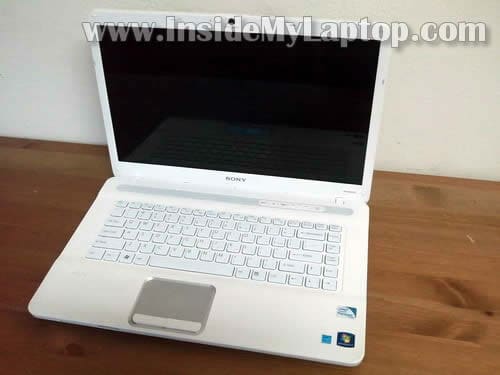
In this guide I show how to remove and replace LCD screen on a Sony Vaio VGN-NW series laptop.
I’m fixing a Sony Vaio VGN-NW235F model. It also says model PCG-7184L on the bottom.
Before you start, make sure the computer is turned off and battery removed.
STEP 1.
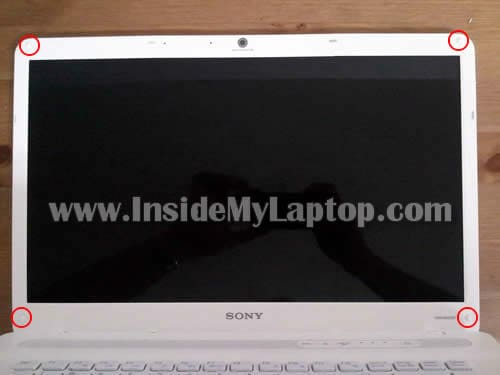
There are four white screw covers on the display bezel.
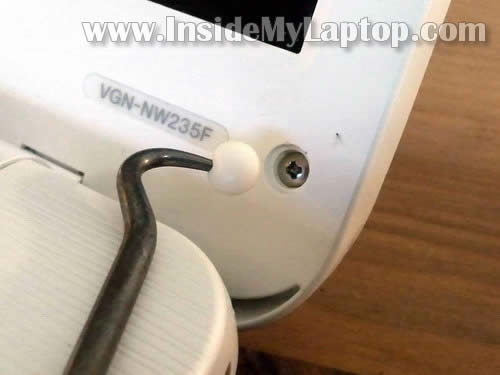
Remove all four covers. Remove four screws located under those covers.
The screw cover has a sticky bottom. You can remove it with a sharp object.
STEP 2.
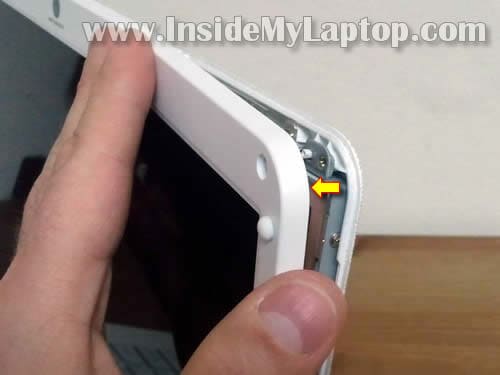
Start separating the bezel from the display cover.
You can use a guitar pick or old credit card to separate the bezel. Continue removing it with your fingers.
STEP 3.
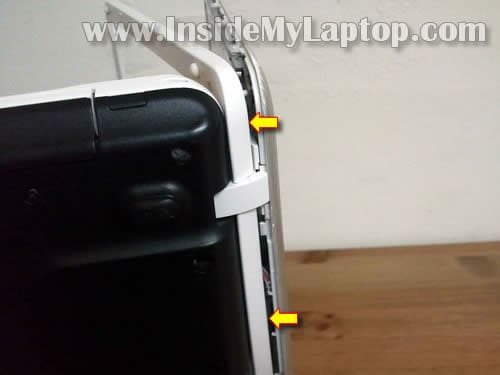
After you separated the bezel on the top of the display assembly, move to the bottom side.
Remove the bezel from the laptop.
STEP 4.
Sony Vaio VGN-NW235F has a regular CCFL backlight LCD screen with inverter board.
The inverter board mounted on the bottom side of the display assembly.
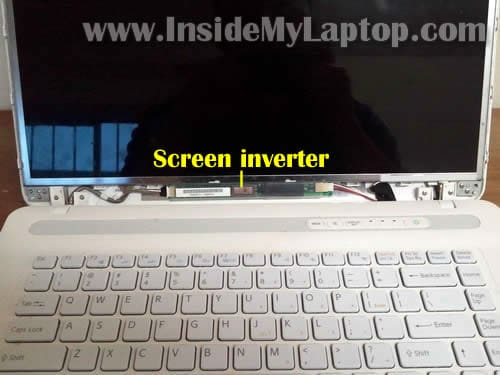
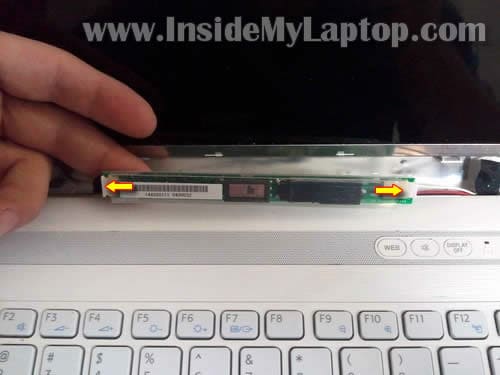
Carefully separate inverter board from the display cover and disconnect cables on both ends.
Remove the inverter board.
STEP 5.
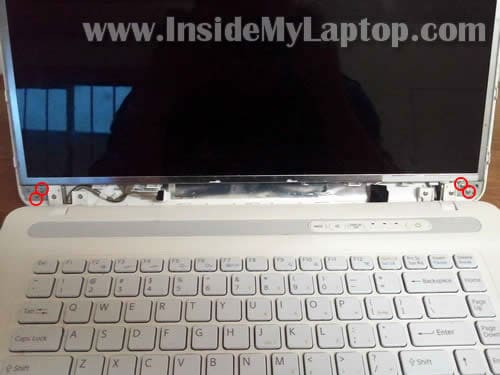
Remove four screws securing display hinges.
STEP 6.
Separate the LCD from the display cover and place it face down on the keyboard.
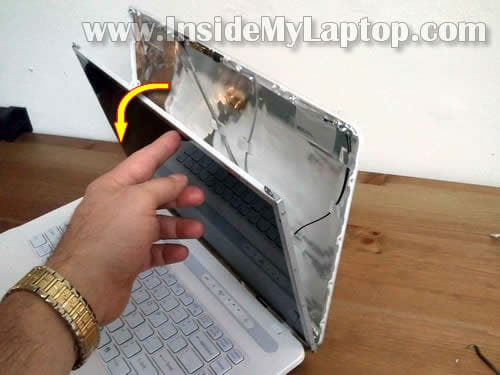
STEP 7.
Now you can access the display cable.
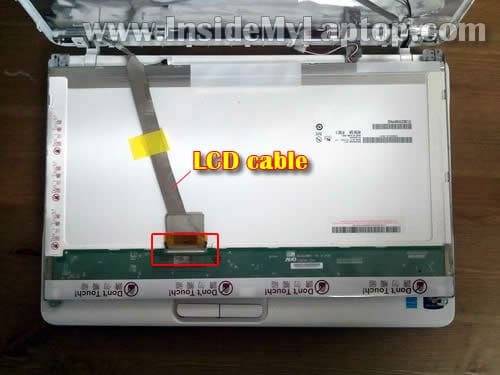
STEP 8.
Disconnect the cable from the connector.
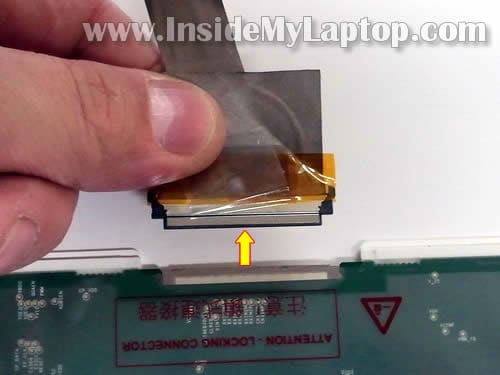
STEP 9.
Now you can remove the LCD screen assembly from the laptop.
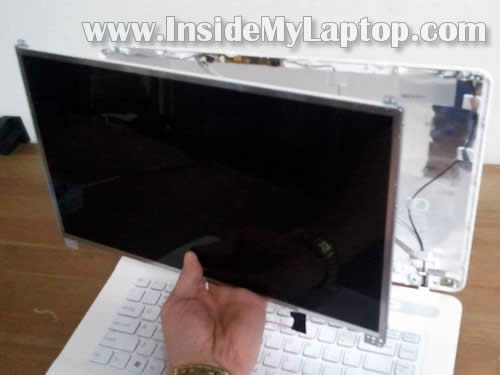
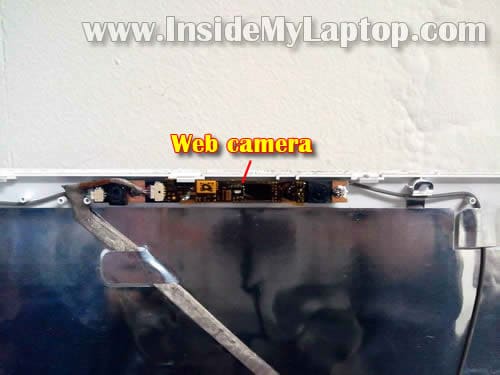
By the way, the web camera is not a part of the screen. It’s a separate module mounted on the top of the display cover.
STEP 10.
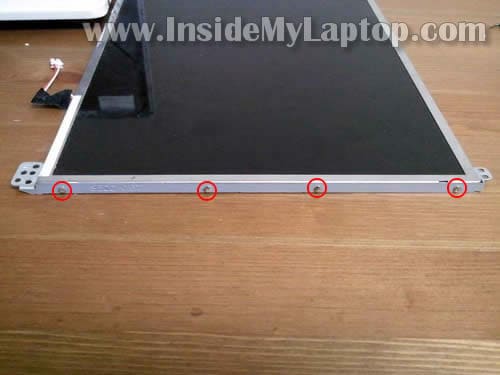
When you replace the screen, you’ll have to remove both mounting brackets and transfer them to the new one.
In order to remove the bracket, simply remove four screws.
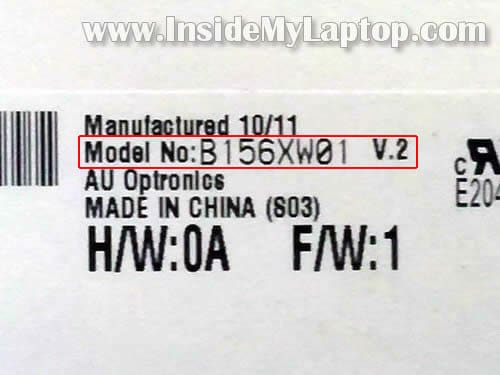
You can search for a new replacement screen using the model number from the original part.
My Sony Vaio VGN-NW235F had the following 15.6″ LCD installed: B156XW01.
My Name
It would be good if you can put the video tutorial of this process.
Great post by the way
Jay
Great tutorial. The NW series also have some type of power failure faults. Any ideas if another motherboard is interchangable with the NS11S? Thanks.
IML Tech
Jay,
Sorry, cannot tell if there is another motherboard available for your laptop.
Here’s what you can try.
Search SparePartsWarehouse.com for your laptop model and see if they have more than one motherboard listed.
Lukasz
This is great guide but I need to replace a keyboard in my Vaio NW and I’ve searched but I found nothing on the net so could you write a guide how to disassemble this model to replace keyboard?
IML Tech
Lukasz,
I don’t remember off the top of my head, but I think all you have to do is remove a few screws securing the keyboard on the bottom of the laptop.
If not, than it’s necessary to remove the top cover assembly and remove the keyboard after that.
marie
Could u possibly email me a link that shows how to replace the screen for an hp mini 110 or one close to that?
Gene Byrne
Hi I need to replace a faulty Screen Cable ….on my Vaio model PCG-663M
Presume its same process
Tks
ps which side is cable on as you look at screen
Eddy
Hi, I have the same issue than Lucaz, I need to replace my Sony Vaio NW series keyboard. Could you please help on that? Thanks!
ashley
yeah cool but how to u expect me to do that with mine when im reading this how to? lol
IML Tech
ashley,
Print the page I guess. Or read the guide and memorize it.
David
IML Tech,
Great guide. Quick question, my nephew torn up my display cover on my NW265F Vaio. Is replacing just the display cover an option as well? Appreciate the assistance.
Peter
Hi, when removing the bezel from a VGN-FW series laptop, I had difficulty one part to open. I ended up having to remove the thin panel just to the rear of the motion eye to see what was going on. As it happens, one of the clips was harder to undo than the rest for some reason. Anyway moving on… After replacing the bezel, I just can’t seem to get that little panel back on properly. Any chance you can provide a tutorial for that or something?
Cheers.
Alex
Hi,
Where is the CMOS battery in this laptop ?
Cindy
I need to replace the cover and the bottom screw parts. Do you know where I can purchase them?
Thank you,
CS
Trent Watford
I used the instructions on this video to start to remove the Bezel and had trouble on the bottom. I looked for more instructions and found a video that used a different method.
https://www.youtube.com/watch?v=Bux8_MagKeQ
I think you should consider revising these instructions. Using your method I broke to of the clips on the top. I think the way the video shows is safer because it is pulling the clip away from the catch.
Rafael Maldonado
Recently I replaced the Cpu fan from my VAIO VPC-Z-1190X. After putting back hardware and screws, there is no sound, no wireless,
No Bluetooth, and the DVD drive not eject while pressing its button.
I know I have to open the laptop again. I need help to identify inside parts to check the wire connections and the correct placement. The fan is working excellent after replaced. Before, the laptop shuttered down frequently or not boot. Windows is running well. The DVD is identified by the laptop. The messages are: wireless is turned off and the adio is turned off. Please if you or any in the forum can help I will appreciate very well. Images about the inside with the connections are welcome.