

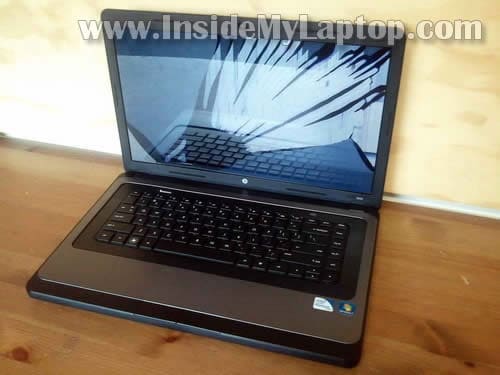
In this guide I explain how to replace broken screen on HP 2000 laptop.
In my case it was accidentally damaged and the image disappeared completely.
To be precise, I’m working on an HP 2000-210US model.
I would suggest making some notes during the disassembly process about screw locations. Some screws have different length. Your notes will be helpful when you assemble everything back together.
Turn off the computer and remove the battery.
STEP 1.
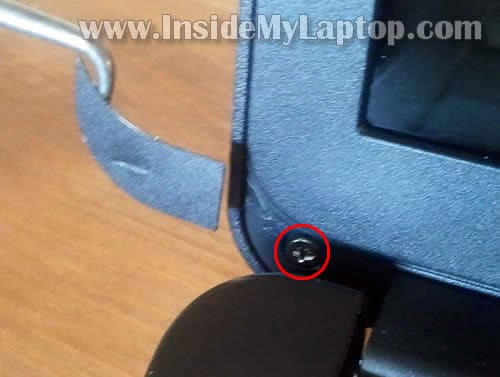
Using a sharp object remove the screw cover located in the lower left corner of the display.
Remove the screw.
STEP 2.
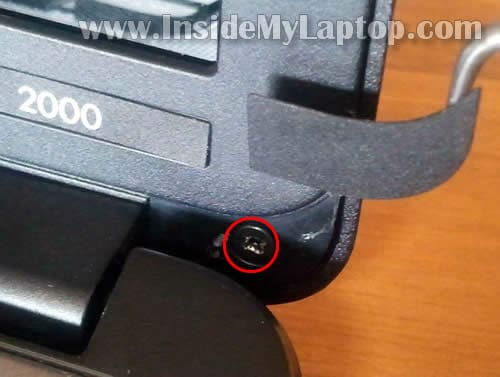
Remove the screw cover in the lower right corner.
Remove the screw.
STEP 3.
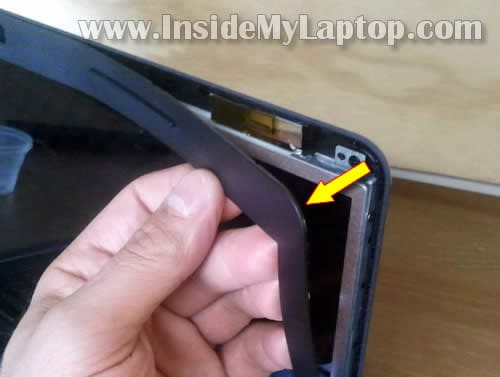
Insert your fingers under the bezel and start separating it from the display cover.
STEP 4.
Remove the bezel.
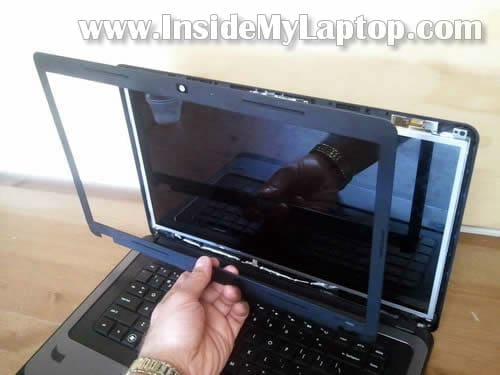
STEP 5.
Remove one screw securing the left hinge cover.
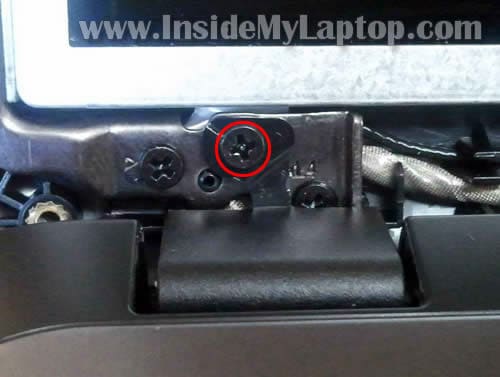
STEP 6.
Using a small screwdriver pull the hing cover and remove it.

STEP 7.
Remove one screw securing the right hinge cover.

STEP 8.
Remove the right hinge cover.
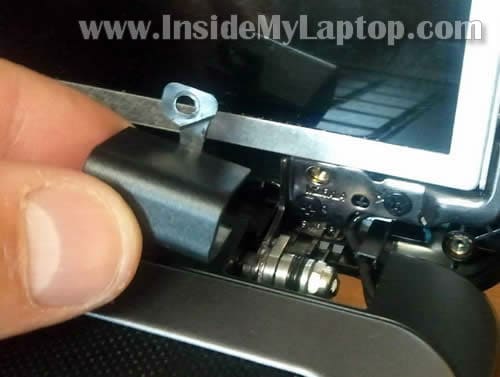
STEP 9.
Remove six screws securing the LCD assembly to the display cover.

STEP 10.
Separate back cover from the screen.

STEP 11.
Now you can access the video cable connector located on the back side.
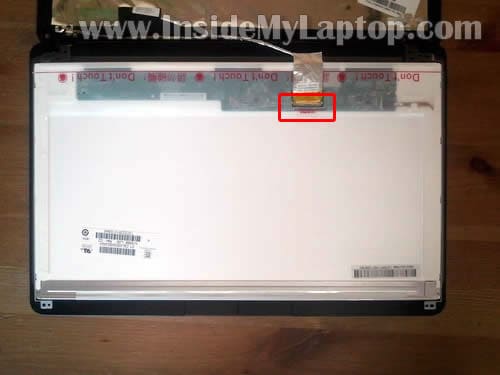
STEP 12.
Remove clear tape securing the connection.
Disconnect the video cable.
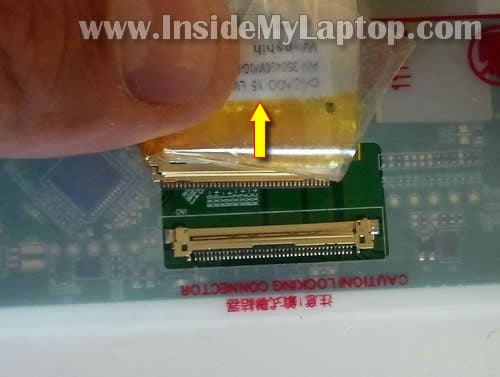
STEP 13.
Remove three screws from the right mounting bracket.
Remove three more screws on the left bracket.
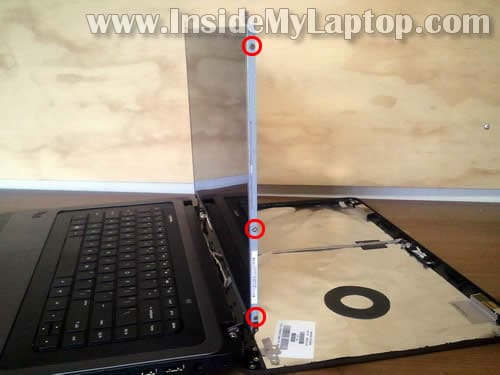
STEP 14.
Now you can remove and replace the damaged LCD.
When you are searching for a new replacement screen, do not confuse HP 2000 with HP dv2000. They are two different models.

Assemble the laptop back together following instructions from step 14 to step 1.
I had some trouble connecting the bezel to the cover on the lower part of the display. The bezel didn’t click back in place.
Here’s how I did it.
I placed the laptop upside down and pushed on the bezel with a plastic stick.
While pushing on the bezel, I moved the stick from one side to side and until the bezel clicked back in place.

Need to disassemble the laptop base? Check out this HP 2000 disassembly guide.
Mike Burke
Thank you for the info on dissassembling the LCD for a HP 2000
PM
Thanks! Saved me a bundle! Great, precise instructions.
jason
my niece broke her screen i bought a new one on ebay for 60 bucks.followed you excellent tutorial a now her laptop is running again.much thanks
Richard
I desperately need to fix my inverter quick. I have the same model. By the, your explanation reallly helped
Toni M
Fiance’s laptop screen busted when it was knocked off the table. Thank you for these great, easy to follow instructions! Made me feel like a pro replacing the screen!
Nasim
You are an angel for posting this!!!! After a flight and my laptop being banged around in the overhead compartment the screen would go all white or have colored lines. I used to be able to get it to work by gently squeezing the sides of the screen, but no longer.
Google told me that the video cable was loose and to open up my laptop and reattach it. That left me with the question of “how?” And following your amazing instructions I was able to open it up and reattach the video cable. It now works!!!! The most difficult parts were putting the hinge covers and the bezel back on.
You are AMAZING! Thank you!
Christine Hanna
Success!!!
I saw this site and was confident enough to order my own replacement screen and attempt this myself. This was so very clear, and I was able to get my old screen out and new screen in place in about 20 minutes. The hinge covers were a bear to get back on, but nothing that a little brute force can’t solve 🙂
Thanks so much!
Feb 21, 2015
Leann
I have the same laptop and am having a screen issue. The colors are quite messed up. I bought a new screen and the issue is not fixed. I’ve plugged the laptop into my TV and the display on the TV is fine. Would this mean the LCD cable is bad? How do I replace that if it’s the culprit?
Michelle
How do you find the model number of the computer to be sure you are ordering the right screen? Thanks.