

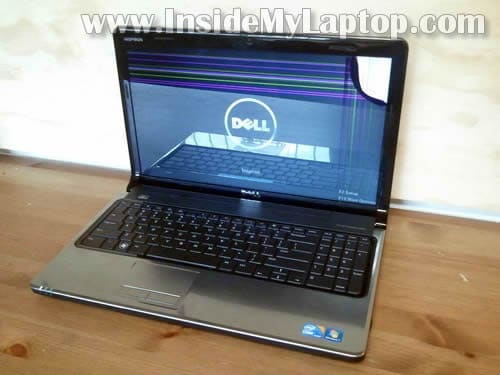
Here I explain how to replace damaged screen on a Dell Inspiron 1564 laptop.
Most likely this guide will work for some other Dell models.
Before you start, make sure the computer is turned off and battery removed.
STEP 1.
Start separating the display bezel from the back cover with a piece of soft plastic. I’m using a guitar pick for that.
There are hidden plastic latches securing the bezel. You’ll have to wiggle the bezel up and down to disengage those latches.

STEP 2.
Continue separating the bezel with your fingers.

STEP 3.
The bezel had been separated on the upper side of the display. Now move to the bottom side of the display.
STEP 4.
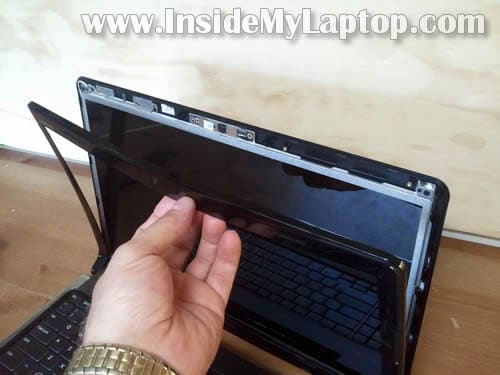
Separate the bezel from the display cover on the bottom.
Continue removing the bezel with your fingers.

STEP 5.
Remove the bezel.

STEP 6.
Remove six screws securing the screen assembly to the display cover.

STEP 7.
Now you can separate the LCD from the cover.
Be careful, the cable still attached to the webcam module.

STEP 8.
Place the screen face down on the keyboard.
Now you can access the video cable connector on the back.
NOTE: if your laptop has a regular CCFL backlit LCD (not LED backlit) you’ll have to do one more step – disconnect cable from the inverter board.
LED-backlit LCD do not require an inverter. It’s connected directly to the motherboard.

STEP 9.
Remove sticky tape securing the video cable connector.
Unplug the video cable.

STEP 10.
Now you can remove the LCD assembly.

STEP 11.
Transfer both mounting brackets to the new screen.
In order to remove the bracket you’ll have to remove three screws.

Replace the damaged screen with a new one.
In the next post I will show how to take apart the laptop case.
j. rohler
this walkthrough worked for a dell inspiron 1570 with the exception it doesnt have a screen assembly to take apart
SW
Is it possible to replace a ccfl with LED backlit one?
Also, are there any matte screens that would fit. perhaps from different dell models?
IML Tech
SW,
You cannot do that.
Probably yes, but I cannot tell which models.
SW
Thanks, I saw while browsing a higher res. screen that was for the 1564, unfortunately can’t remember where will have to check all over again…, most other places say to keep resolution the same, any idea if that’s necessary in this case?
IML Tech
SW,
When you install a higher resolution screen it might be necessary to replace the video cable too. I don’t know if your laptop can work with a high resolution screen without replacing other parts. I would probably go with the same resolution.
SW
PS Radeon 5450 graphics, so that should handle higher res.
Mark
Is there a way to determine which one of the four (or more) display models fits one’s laptop without disassembly? One would expect that Windows Device Manager would be of some assistance. The objective would be to have a replacement unit ready to install for ease in installation, minimizing down-time, fault isolation (display or driver), etc..
IML Tech
@ Mark,
I think you can find a list of part used in your laptop if you search on the Dell website by the service tag number.
The list of parts will have the part number for the screen. After you find it, google the Dell part number.
Alexander
Hello.
I can not find the original LCD for Dell Inspiron 1564 Laptop Computer:
15.6 WXGA LCD Screen LP156WH2 (TL) (A1).
How to make a change and configure compatible LCD screen on Dell Inspiron 1564
Thanks,
Alexander Sonin