

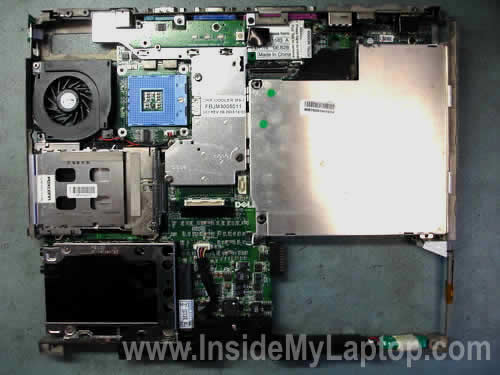
In a Dell Latitude D500 laptop the power jack is soldered to the motherboard. If the laptop loses power intermittently when you wiggle the power plug, most likely the power jack is damaged and has to be repaired. In order to repair the power jack you’ll have to remove the motherboard.
In one of the previous posts I explained how to remove the motherboard from a Dell Latitude D500 but it came out mounted to a metal bracket. You cannot access and repair the power jack while the motherboard is mounted to the metal bracket, it has to be removed first.
OK, let’s prepare the motherboard for the power jack repair.
STEP 1.
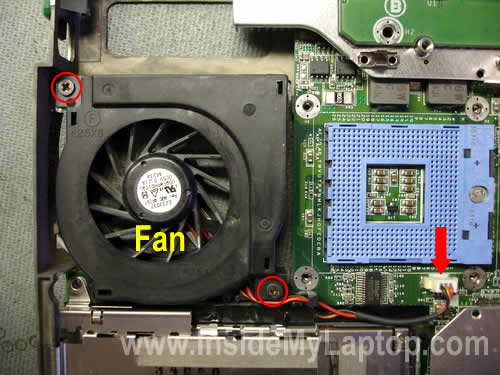
Remove two screws securing the cooling fan. Disconnect fan cable from the motherboard. Remove the fan.
STEP 2.
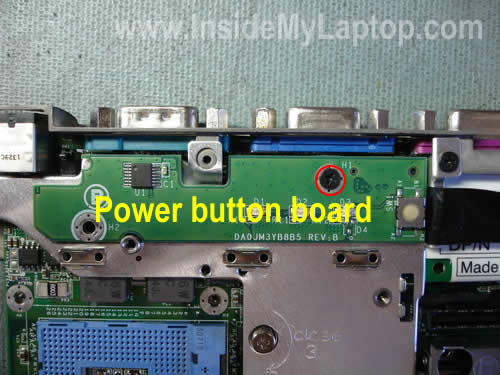
Remove one screw securing the power button board. Lift up the board and disconnect it from the motherboard.
STEP 3.
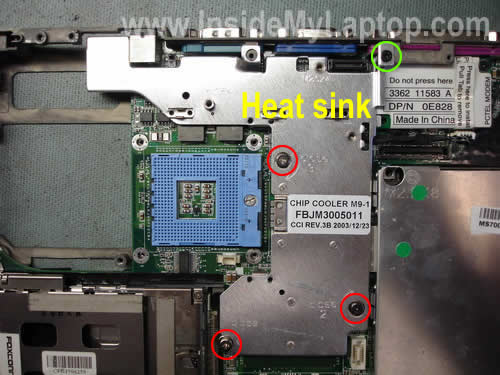
Loosen three (red) screws and remove one (green) screw securing the heat sink. Remove the heat sink.
STEP 4.
Remove one screw securing the CD-Rom cover. Remove the cover.
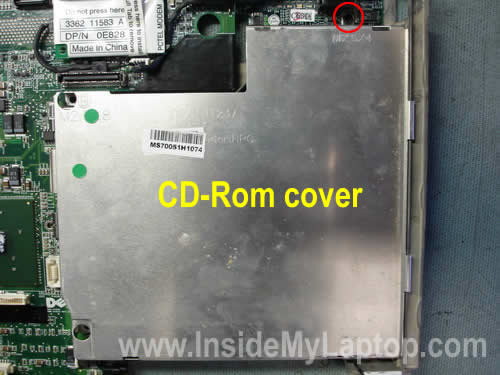
STEP 5.
Remove four screws securing the hard drive bracket. Lift up the bracket and disconnect it from the motherboard.
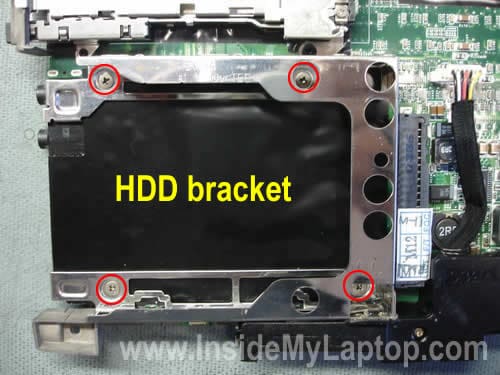
STEP 6.
Remove two screws securing the speaker assembly. Disconnect the speaker cable from the motherboard. Unplug the CMOS (RTC) battery.
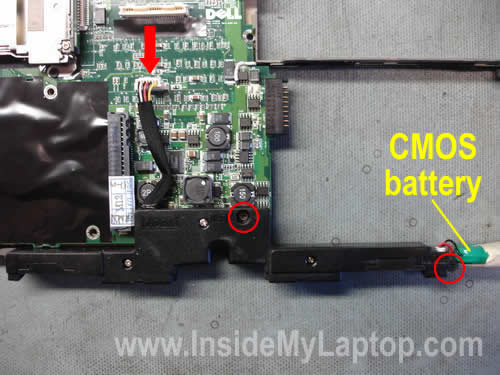
STEP 7.
Remove two screws securing the PC card slot. Lift up the slot and disconnect it from the motherboard.
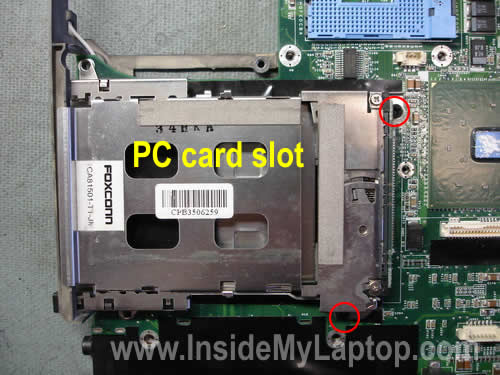
STEP 8.
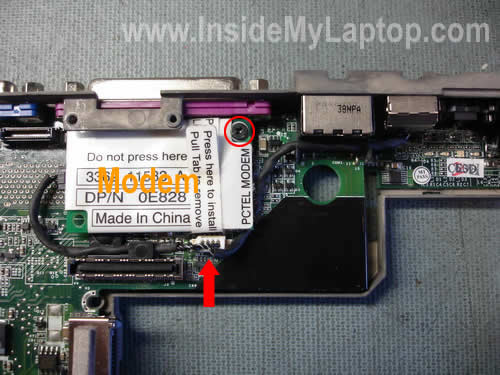
Remove one screw securing the modem card. Unplug the modem cable from the motherboard. Remove modem with the cable and phone jack.
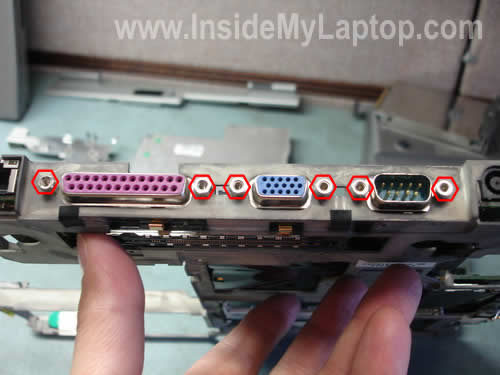
STEP 9.
Remove six hex studs from the laptop ports.
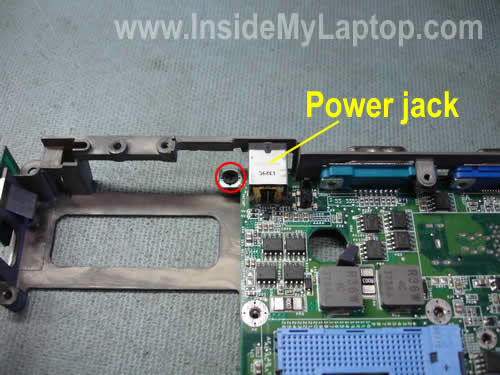
STEP 10.
Remove one screw securing the motherboard. This screw is located on the left side from the power jack.
STEP 11.
Start separating the motherboard from the metal bracket.
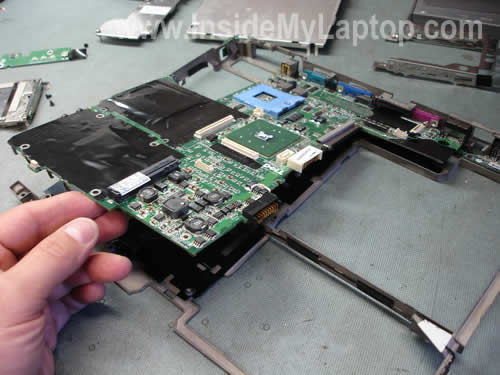
The motherboard has been removed.
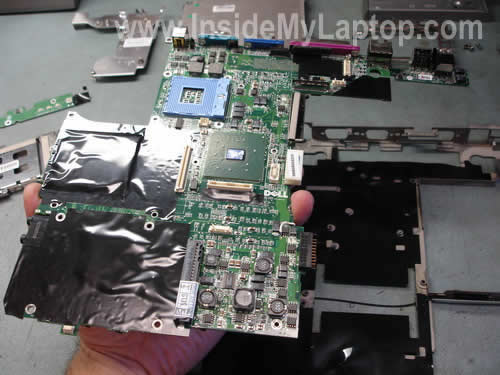
Now you can access the power jack and repair it.
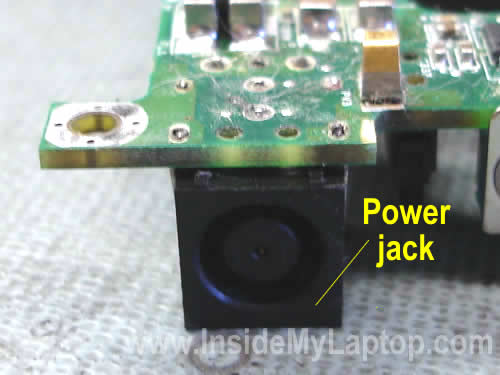
If the power jack is broken, you’ll have to replace it with a new one. If the power jack is loose, you’ll have to resolder it to the motherboard.
Alex
how do you remove the bottom cover on a dell inspiron 1525? i need to access the solder joints on the DC charge port. thank you
IML Tech
Alex,
You’ll find step-by-step disassembly instructions for Dell Inspiron 1525 in the official service manual. Follow this link.
Jackie
Dear sir,
I wonder if it’s possible to replace the original cpu (Intel® Pentium® M Processor 1.40 GHz, 1M Cache, 400 MHz FSB) of my D500 with a more efficient and less-consuming cpu (Intel® Pentium® M Processor LV 778 2M Cache, 1.60 GHz, 400 MHz FSB. I’ve updated my BIOS to A10. Thank you.
John Goober
Here is the truth. I do not like adding my email address.
I’ve done exactly that! i replaced the 1.40Ghz with a 1.60Ghz. Nothing else was necessary. The new 1.60Ghz processor was listed when I went to BIOS setup. So I know it works. Just remember to add some Thermal Compound (Radio Shack) to the CPU before putting the heat sink back on.
good luck
IML Tech
John Goober,
Don’t worry. No one can see the email address.
Marisa
Hi, can I ask you a question? One of my laptop keys does not produce anything on the screen. When I hit the number 9 key, nothing happens. All other keys work. When I removed the key, the hinges and rubber bladder work fine. Does this mean I have to replace the whole keyboard? I have a Dell Latitude D820 (out of someone’s trash). Thanks.
IML Tech
Marisa,
Apparently, there is a problem with the key contacts (they are inside the laptop).
Yep, it’s time to replace the keyboard or use it as is.
Graham
Hi,
I have a Dell Latitude D500 but it no longer draws power from the mains. It works off the battery and I have tried the mains cable in another PC and it works fine.
I have taken pc apart to see if there is anything obvious but I believe that I am left with needing to get a circuit tester to try to find out where the break is.
I do not think that it is as easy as the socket considering that the cable was plugged into the pc for a long period and when I picked up the pc it stopped working.
..Any advice ?
Thank You,
Regards,
Graham
dave
HELP. got a Dell Latitude D520 when plugged into mains will charge battery, won`t switch on, remove mains plug you can boot laptop from battery supply, if you remove battery and try to run from mains will not work ?, only works on battery any ideas ?