


In this guide I show how to access, remove and replace the LCD screen on a Dell Inspiron N5110 (Inspiron 15R).
If you need instructions for taking apart the laptop base, check out my previous disassembly guide for Dell Inspiron N5110.
First of all, make sure the computer is turned off and battery removed.
STEP 1.
In this model there are NO screws securing the display bezel.
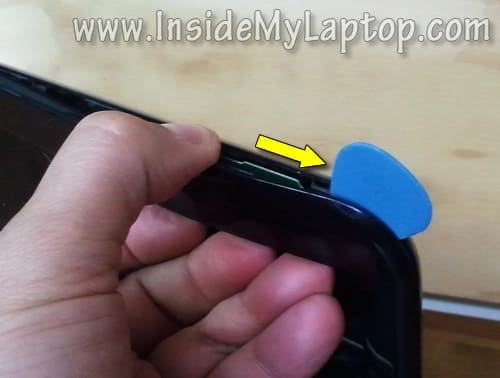
Insert your fingers under the bezel on the top of the display assembly and start separating them.
You’ll have to wiggle the bezel in order to separate it from the display back cover.

A piece of soft plastic (I’m using the guitar) will be very useful while separating the bezel.
Insert it between the bezel and display back cover and slowly move along the side. At the same time wiggle the bezel.
STEP 2.
Continue removing the bezel with your fingers.

STEP 3.
The bezel has been removed.

STEP 4.
Remove two screws securing the LCD screen assembly on the top of the back cover.

STEP 5.
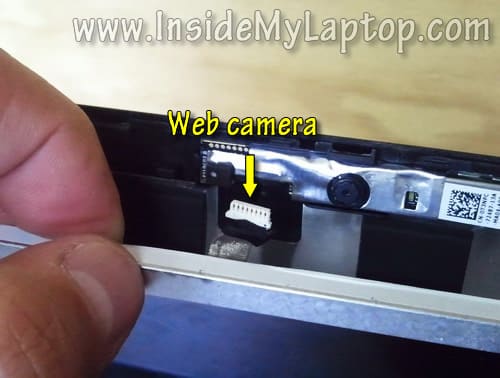
Carefully separate the LCD from the back cover and unplug the web camera cable.
STEP 6.
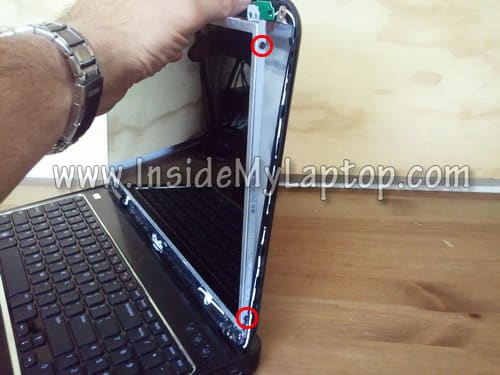
Remove two screws from the right mounting bracket.
STEP 7.
Remove two screws from the left mounting bracket.

STEP 8.
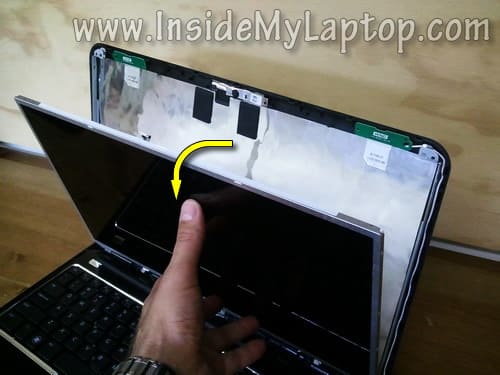
Separate the LCD screen from the display back cover and place it the front side down on the keyboard.
STEP 9.
Now you can access the video harness. As you see, the web camera cable and video cable bundled together.

STEP 10.
Unglue the web camera cable.
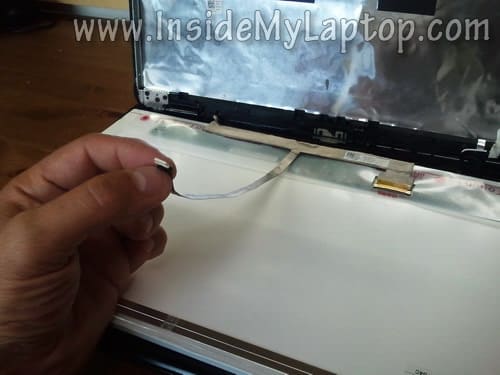
STEP 11.
Remove sticky tape securing the video cable connector.

STEP 12.
Unplug the video cable connector.
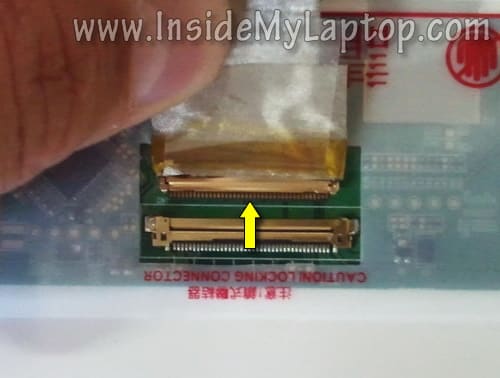
STEP 13.
Now you can remove the LCD from the display assembly and replace it with a new one.
Assemble the laptop following all disassembly steps in the reverse direction.

The best way to find a new replacement LCD screen is searching by the model number printed on the back of the original part.
My Dell Inspiron N5110 had the following LCD installed: N156B6-L0b Rev. C1.
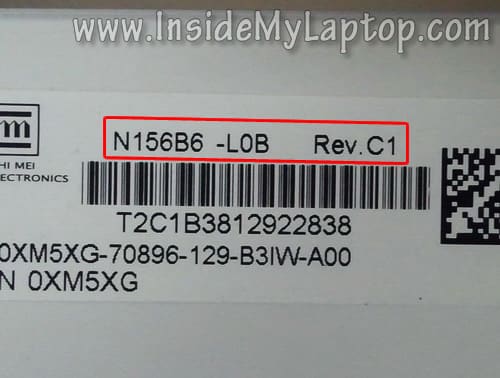
Katherron
Thank you! This guide was so simple–much easier to follow than the video versions.