

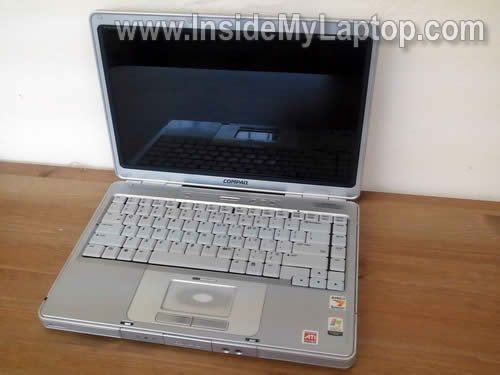
In this guide I explain how to remove and replace the screen inverter in a Compaq Presario v2000.
Also, you can use this guide for removing and replacing the keyboard.
In order to take apart the display panel it’s necessary to separate it from the laptop base first.
Before you start, make sure it’s turned off and battery removed.
STEP 1.
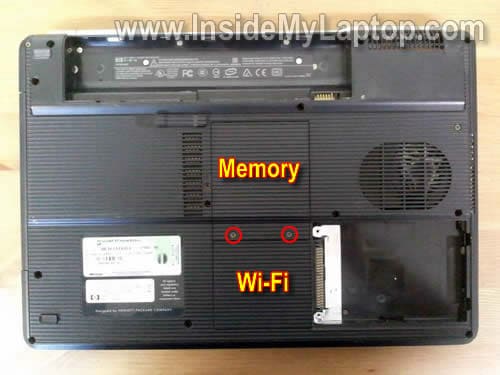
Remove two screws securing the memory and wireless card covers. Remove both covers.
STEP 2.
Remove two screws securing the keyboard cover in the battery compartment.
For the purpose of my guide it’s not necessary remove memory modules and wireless card, but it’s necessary to disconnect antenna cables from the wireless card.

STEP 3.
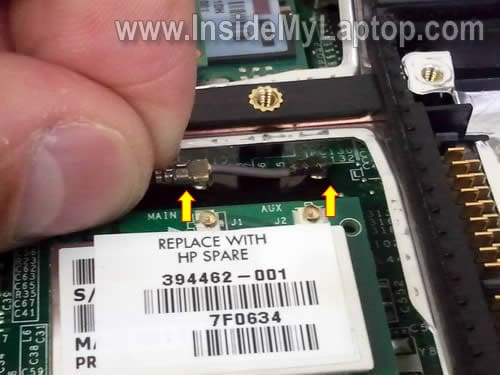
Disconnect both antenna cables from the wireless card.
STEP 4.
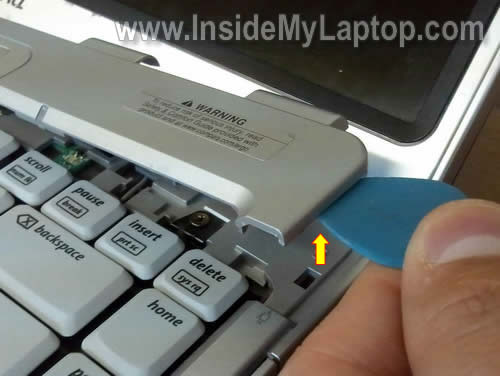
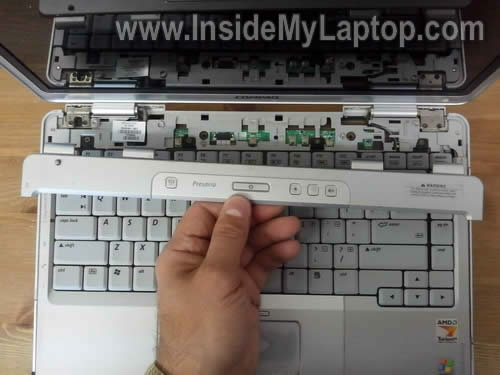
Using a piece of soft plastic (I’m using a guitar pick) lift up the right side of the keyboard cover.
Continue removing the cover with your fingers.
STEP 5.
The cover has been removed.
STEP 6.
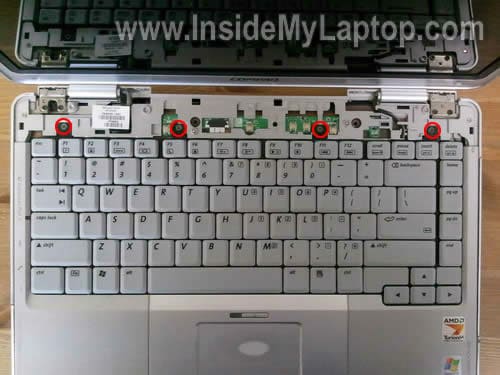
Remove four screws securing the keyboard.
STEP 7.
Carefully lift it up from the top cover.
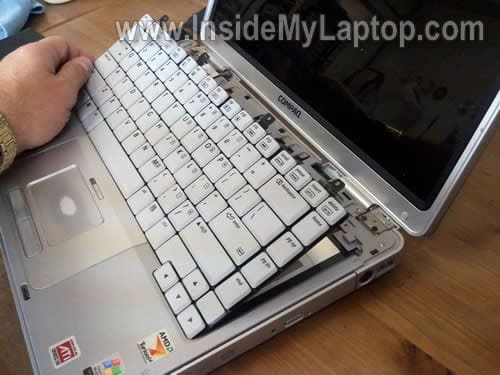
Be careful, it’s still connected to the motherboard.
STEP 8.
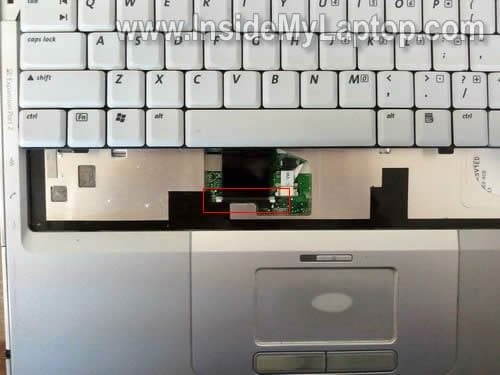
For the purpose of my guide it’s not necessary to disconnect the cable.
Simply turn the keyboard upside down and place it on the palmrest.
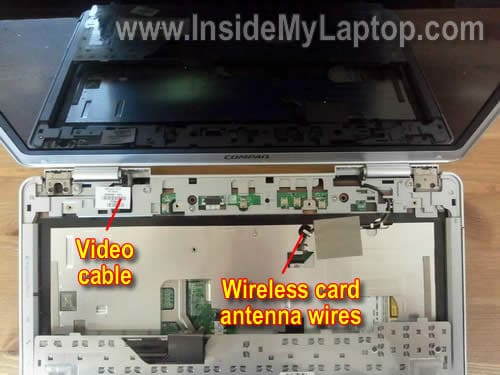
STEP 9.
Carefully pull the wireless card antenna cable though the opening in the top cover.
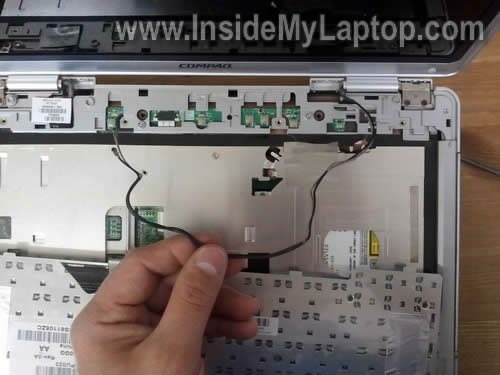
STEP 10.
Unplug the video cable connector.
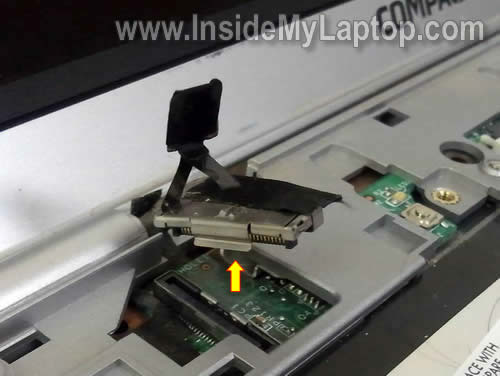
STEP 11.
Remove four screws securing display hinges to the laptop base.
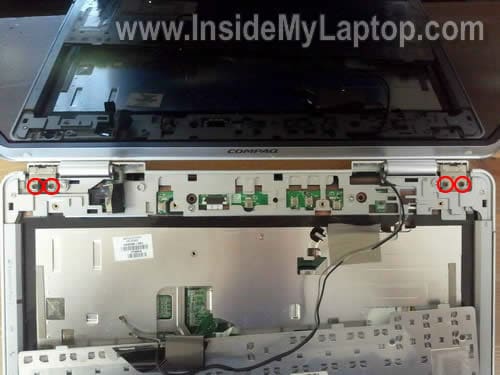
STEP 12.
Carefully separate the display panel from the base.
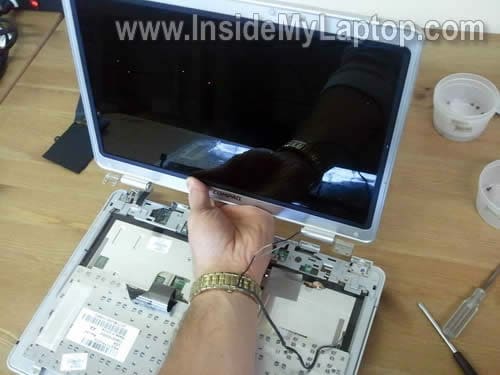
STEP 13.
There are six screw covers on the display bezel.
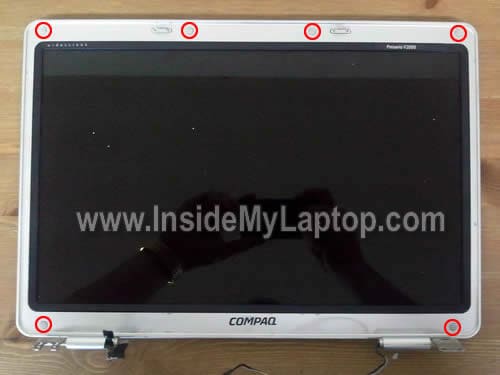
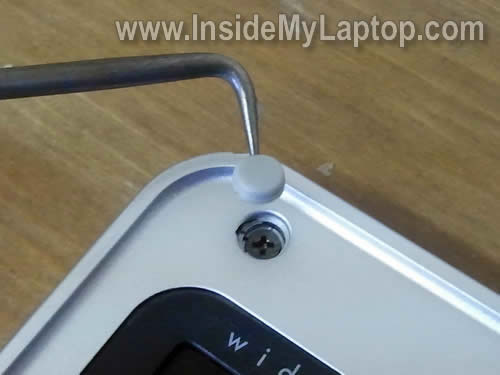
Remove screw covers with a sharp object and remove all six screws.
STEP 14.
Start separating the bezel from the display cover with your fingers.
A piece of soft plastic (guitar pick in my case) will help.
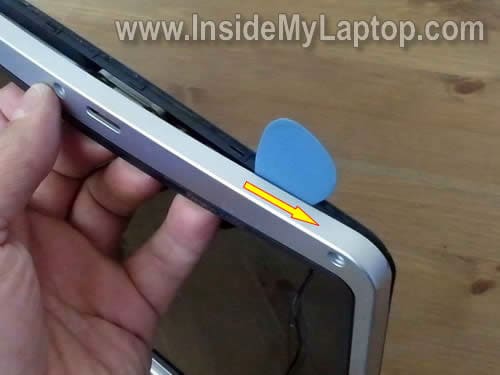
STEP 15.
Continue separating the bezel.
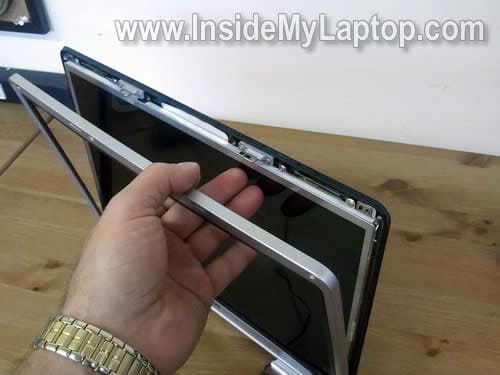
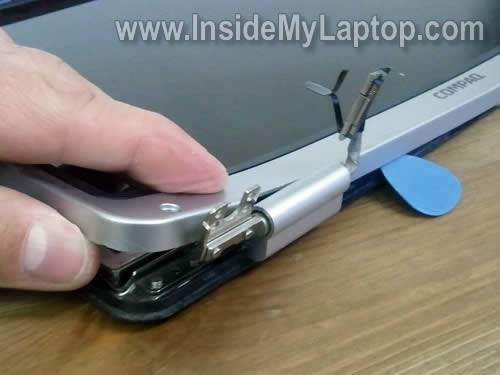
STEP 16.
Now move to the bottom part of the display.
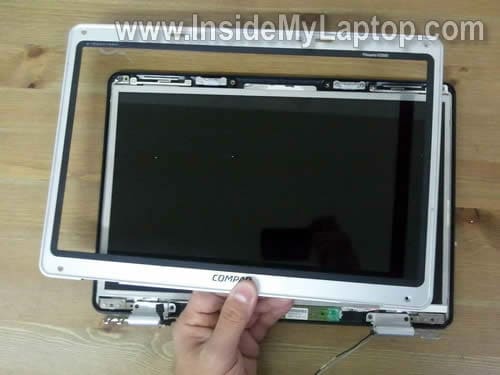
STEP 17.
The bezel has been removed.
STEP 18.
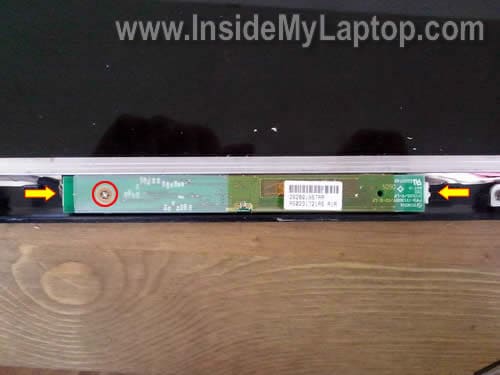
The inverter board mounted on the bottom side of the display.
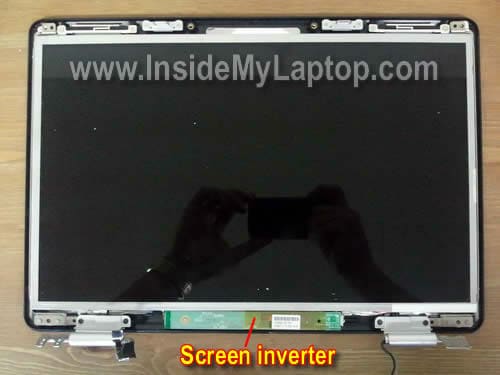
Remove one screw securing it to the cover.
Unplug cables from both sides.
STEP 19.
Now you can remove the inverter and replace it with a new one if needed.

STEP 20.
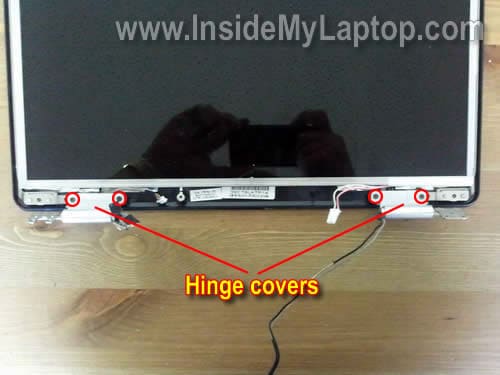
Remove four screws securing display hinge covers.
STEP 21.
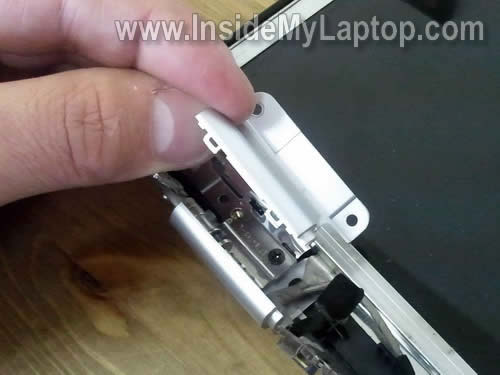
Remove both display hinge covers.
STEP 22.
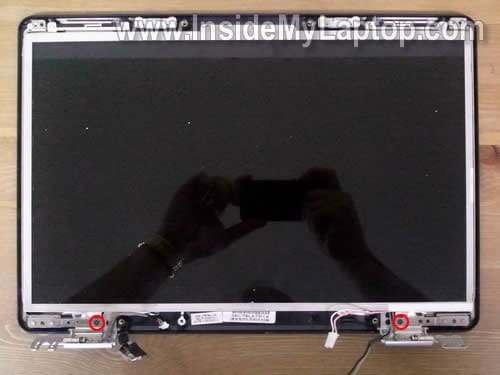
Remove two screws securing display hinges to the back cover.
STEP 23.
Carefully remove the LCD.
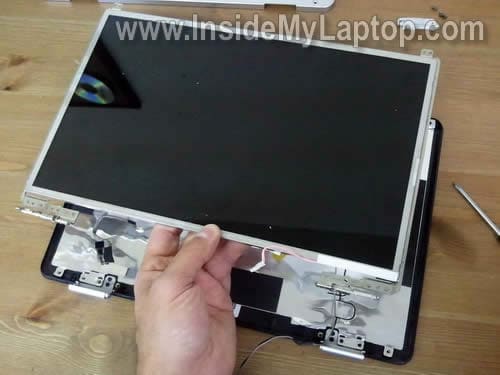
STEP 24.
On the back side you can access the video cable.
Disconnect the video cable and transfer it to the new screen.
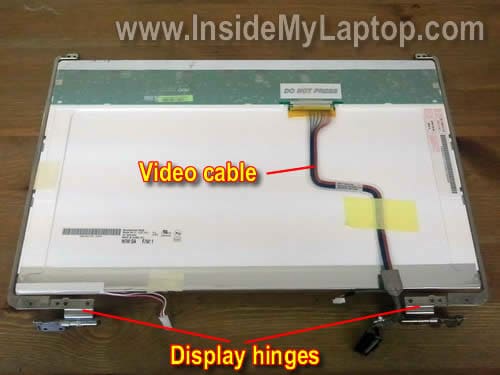
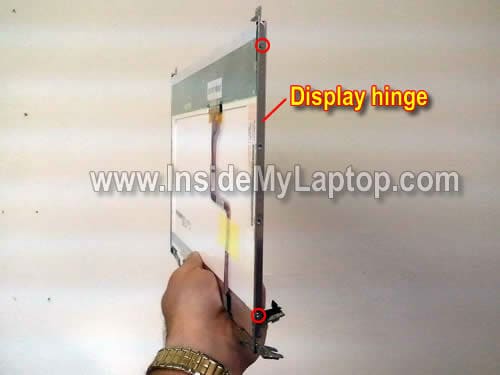
STEP 25.
Remove screws and remove both hinges. Transfer them to the new screen.
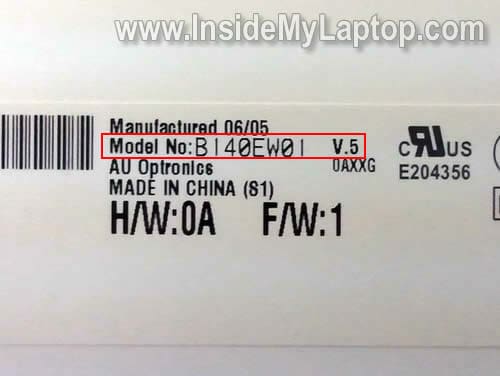
Search for a new LCD using the model number printed on the back of the original one.
In my case I had the following screen installed: B140EW01.
Simon Lovell
Just like to say that the first 8 steps were used towards totally removing the bottom case allowing access to the fan unit. A good clean out later and the lappy was running as it should – no fan whirring its nuts off and a processor running at full speed …… bliss.
Nomad666
Can’t find instructions on where to post in category. Nieces Compaq C700 laptop screen boots up white. Laptop works fine on external monitor. I’ve testing a known working Toshiba LCD using instructions from this website (Swapped out Inverter & Cables) and the Toshiba LCD boots up to white screen also. This would lead me to believe LCD is not problem. Is it the Inverter? If laptop displays fine on external monitor does that mean on-board video is working fine on motherboard? Any help or instruction for posting questions is greatly appreciated.
IML Tech
Nomad666,
This is not inverter problem. The screen turns on with backlight and it means the inverter works properly.
If you have same problem (white screen) with two different screens, most likely this is the motherboard failure.
Could be bad video cable but I think it’s related to the motherboard. Just a guess.
jeman
A Compaq Presario V2000 (S/N: C NF6200KYJ) cannot receive the power, the Power light, HD light, etc, don’t give out light when pressing on the power button, even the fan is not spinning like the notebook is dead. I bought a new multi power adaptor but the problem still persists.
Need you advice on this.
jeman
May I have an advice from somebody please?
Phil
Problem with Compaq Persario C700 Notebook Screen
Hi, Im having a problem with my C700 screen. If the screen is open at about 90 degrees it works fine. If I open the screen past this angle, lines appear across the screen and it loses color
Im assuming that there is a short circuit in the contacts or wires from the base to the screen. How would I go about disassembling and fixing this model of notebook?
IML Tech
@ Phil,
Most likely it’s one of the following:
1. Bad connection between the video cable and LCD screen or motherboard. You can try reseating the video cable connections on both ends.
2. Could be bad video cable. Try replacing the cable.
You’ll find disassembly instructions in this service manual for Compaq Presario C700 notebooks.
Sir Barksalot
I’m speechless! This is fantastic. Thank you for all your hard work creating this wonderful article. One thing though, I refuse to buy on eBay. Do you have any other sources for the inverter and display than eBay or an email/website/contact page where I can reach the supplier.
bG
hello i have problem with video connector on mother board how much it cost me??
James
I’ve got an odd problem with a Compaq V2000 Laptop. I’ve replaced the LCD Inverter and the LCD screen now works again.
Here’s the problem, if I screw the Inverter down the LCD stops working. If I detach the Inverter then the LCD starts working again. I got a 2nd Inverter and it does the same thing. I have 2 of these Compaq V2000 Laptops and I’ve replaced the Inverter on the other one in the past with no problems. Does anybody have any ideas why the Inverter will not work when attached with the single screw?
IML Tech
@ James,
Some kind or grounding issue?
If you cannot resolve it, just glue the inverter to the cover with double sticky tape. 😉
Jeman
Got an Aspire One D270 netbook and it has a thin white vertical line at the center of the screen when the netbook is turned on. Please advice how to get this line out.
IML Tech
@ Jeman,
Most likely this is LCD screen failure. It’s necessary to replace it.
hermit
Thanks for your nicely done instructions! I have an HP Pavilion ze4900 Laptop with, I believe, a video cable problem. Both your compaq and my HP apparently are using the same LCD Display part. By viewing your intstructions, they are close enough, that when I get the video cable I ordered from Ebay, I should be able to now take apart my screen display and swap out that cable. My Service manuals tell me everything nearly about the computer, but do not tell me how to take apart the display that’s attached…only how to remove the entire display from the laptop. Thanks again for your input and the detailed instructions complete with pictures!
abhi
after removing screen i am facing “wifi very low strength” problem.any solutions. (i am using monitor for display)
t l
Thanks totally helpful!!!!
Hogdoodie
Very clear and precise steps. Best I have seen so far. Well done, keep these coming
berka
please i’ll like know the polarities of input of the inverter presario v2000
Trevor Spidell
Hi I was wondering if you could do a teardown of a Compaq Presario V5308CA laptop.
Thanks