

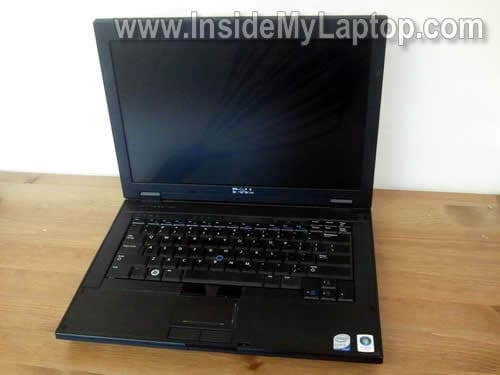
In the following guide I show how to replace damaged LCD screen in Dell Latitude E5400 or Latitude E5500 laptop.
Before you start, make sure the computer is turned off and the battery removed.
STEP 1.
The LCD bezel doesn’t have screws.
Simply start separating the LCD bezel from the cover with your fingers.

STEP 2.
Continue separating the bezel.

STEP 3.
The LCD bezel has been removed.

STEP 4.
Remove four screws from the right mounting bracket.

STEP 5.
Remove four more screws on the left mounting bracket.

STEP 6.
Carefully separate the LCD from the cover and place it face down on the keyboard.

STEP 7.
Disconnect the LCD cable.
Disconnect the backlight cable from the right side of the inverter board.

STEP 8.
Now you can remove the LCD screen and replace it with a new one.

The best way to find a compatible replacement screen is searching by the model number (LTN141AT07 in this particular example) or Dell part number (0HT326 in this particular example).
Both numbers are printed on the back.

If you would like to remove the inverter board, follow the next three steps.
STEP 1.
Remove one screw securing the inverter to the display cover.

STEP 2.
Separate the inverter from the cover and disconnect the cable.

STEP 3.
Remove and replace the inverter board.

By the way, it’s possible to remove the inverter without removing the screen.
John
good stuff !!! 🙂
Abhi
Thanks…………I got the much needed Info………….!!
khong lim
thx to the topless , i gt my garbled screen fixed .. thx !
Topov
great stuff – worked like a charm
noel copp
Hi, I just read your article on replacing a dell screen. I was trying to find a site on how to replace a screen backing globe on my dell lattitude E5500 laptop. 1 times out of10 the screen lights up other wise it is dark but i can see faint movement behind. Can you email me how to chang the globe or is it another problem & where can i buy a globe if that is my problem. Thank you Noel
Chris Baldwin
I am having the same problem as noel copp. Is it related to the ambient light sensor? I am unsure what he means by “globe”. If related to light sensor how can I remove it.
Thank you,
Chris
Michel Oliveira
Awesome tutorial! Used it to repair a E5500 display, and turned out that the Backlight Inverter was the faulty part. Thanks for this golden info!