


In the following guide I explain how to replace a cracked or failed LCD screen on a Dell Inspiron 14z laptop.
In my case I’ll be fixing a Dell Inspiron 14z-N411z model.
The replacement procedure is relatively simple and all you need is a Phillips screwdriver and guitar pick (or any other piece of plastic).
STEP 1.
Turn off the computer and remove the battery.
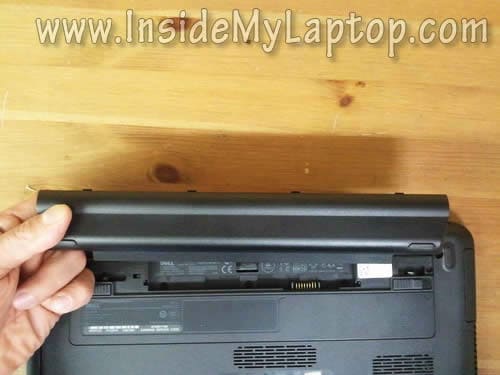
STEP 2.
Insert the guitar pick between the bezel and display cover and carefully separate the bezel from the cover.
Insert your fingers under the bezel.
Wiggle the bezel in order to unlock the hidden latches.
Continue working with the guitar pick.
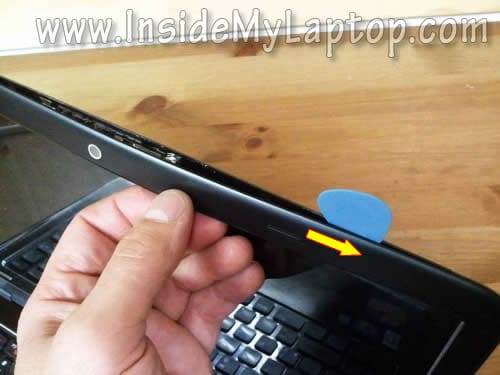
STEP 3.
After you separate the bezel on the upper part of the display, move to the sides and lower part.
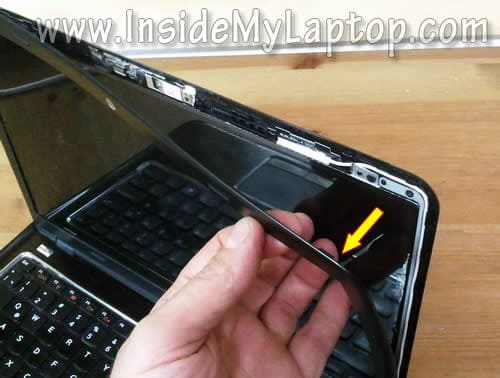
STEP 4.
Remove the bezel.

STEP 5.
There are four screws securing the LCD screen to the display back cover.
Remove all four screws.
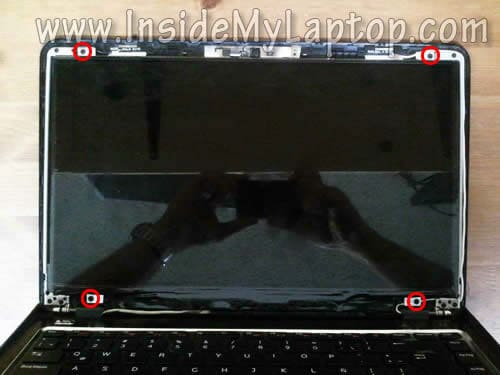
STEP 6.
Separate the LCD from the display cover and place it the front side down on the keyboard/palmrest assembly.
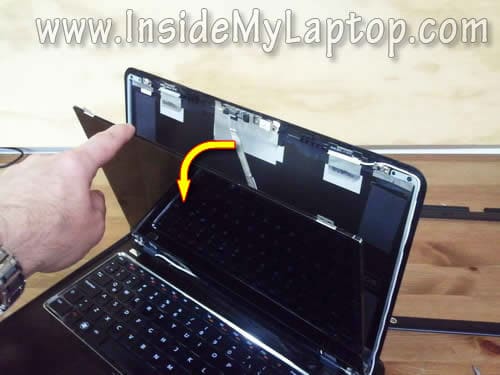
STEP 7.
Now you can access the video cable connector on the back side.

STEP 8.
Remove sticky tape securing the connection and unplug the video cable.
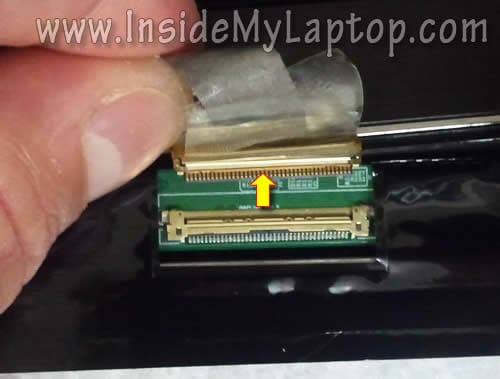
STEP 9.
Remove the cracked LCD screen and replace it with a new one.
Assemble the display back together following all disassembly steps in the reverse order.

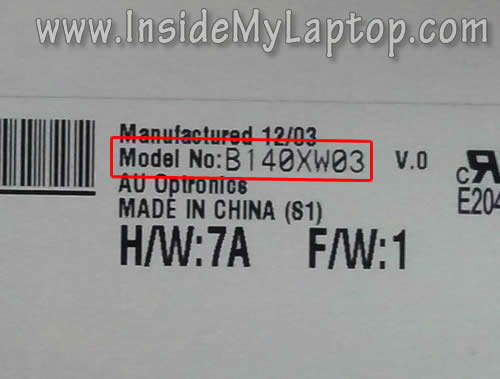
You can find a new replacement LCD screen using the model number printed on the back side of the original one.
In my Dell Inspiron 14z I had the following screen installed: B140XW03 v.0
donald baxter
i have a dell 14 inch N4010 which has a cracked screen hinge –right side and the left audio speaker is not working, maybe something lose in the speaker. i want to open and repair both the items at home. please guide me step by step OR THE ABOVE STEPS ARE ENOUGH?thanks.i would appreciate it if you can somehow mail and let me know your answer. or advise me to check here.
Kevin
Hey I was wondering if you had any broken inspiron 3520’s. I am looking to replace the screen case but am having no luck finding the part. I think you site is great and use it for a ton of information. Well if you have any connections please let me know
thanks
IML Tech
@ Kevin,
This is a very old laptop. Even eBay has a few parts for this model.
mike fugate
i have a dell mini model -GOBI2000when i turn it on, get harddisk security sata port 0 hitactachi HTS545025B9ALOCK , i push the enter button and get – please input password for hitachi hts545025b9a and i don’t have one that works if i use f2 0f12 on start up still get password request and i cant get any where with it can you help
mike
I need a replacement screen. Is it possible to pop the WXGA++ (1600×900) version in there instead?
IML Tech
@ mike,
I think you’ll need another video cable which supports WXGA++ screens.