

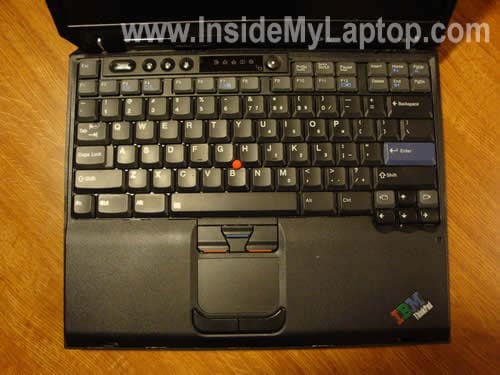
In this guide I explain how to remove and replace the keyboard on an IBM ThinkPad T30 laptop.
This guide should work for many other IBM ThinkPad models because they all have similar cases.
You can easily remove and replace it at home yourself.
First of all, turn off the computer, unplug the power adapter and remove the battery.
Turn the laptop upside down and remove two screws securing the keyboard.
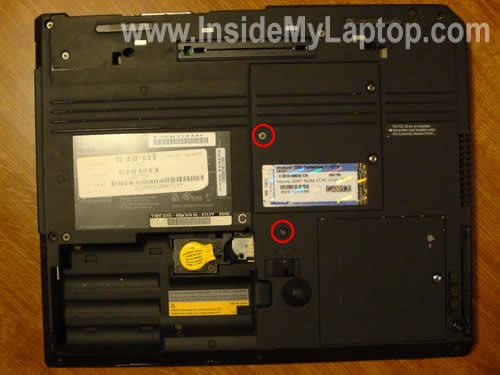
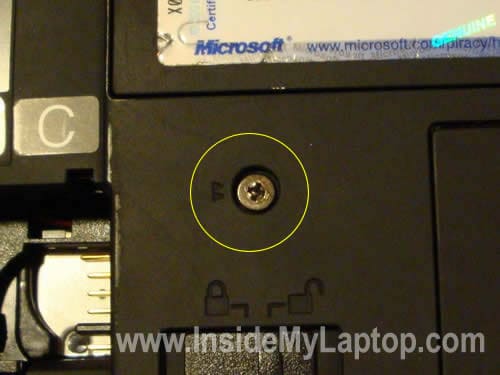
On a ThinkPad T30 both screws are marked with two small triangles as you can see on the picture below.
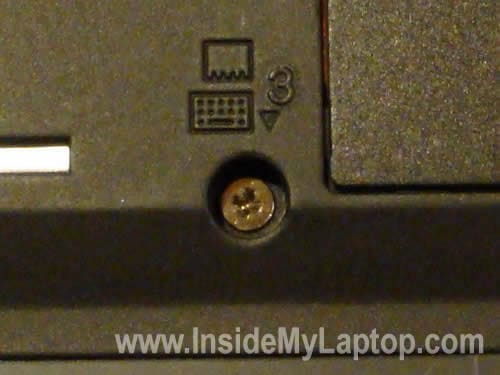
On some other models the screws are marked with a small keyboard print.
Insert a small flathead screwdriver between the keyboard and palm rest and carefully lift it up.

Remove the keyboard and place it on the palm rest.
It is still connected to the motherboard.
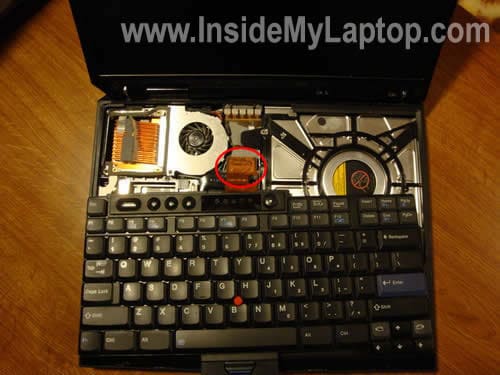
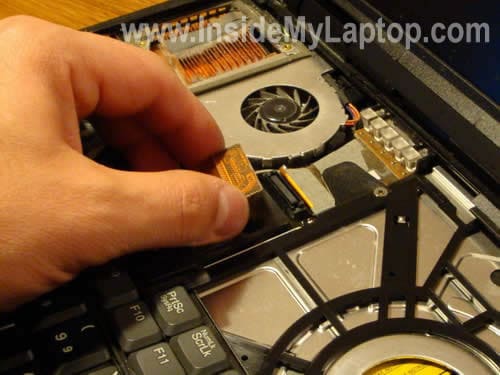
Carefully unplug the cable from the connector on the motherboard.
Now you can remove the old keyboard and replace it with a new one.
Most IBM parts have a FRU number on them. You can find a new keyboard for your laptop if you search by the FRU number printed on the back of the original one.
There could be more than one keyboard that fits your ThinkPad and they could have different FRU numbers.

Bali
thanks a lot , quite useful info
Hilary
Thank you so much!
Ralston
Thanks a million bro, saved a trip to comp shop and sum greens
john
how to remove and replace display on IBM Thinkpad T30 Laptop
RJ
How do you put back a key on the keyboard? I had to remove my delete key cause something got stuck under it, but now I can’t put it back on. Help?
MH
How do I install a wireless card in my T30
jack2710john
Very useful for me.how about some pics of how to replace a system board!!!
Rian
“L” button on my IBM Thinkpad T30 is not working, any idea how to fix it? Been trying to take out the key and put it back but still won’t work. Really really need you help.
IML Tech
Rian,
I doubt you can fix the failed key. You’ll have to replace the whole keyboard.
dung
Thanks a lot !
Jeff
How to replace the fan in the T30?
tony
I replaced the key board but, cursor doesn’t move. Why?
Wajid M Abdul
Dear Sir,
I have been learning a lot of from your website to rectify the defect of Laptop.My joy pad is not working although optical mouse id operation.It seems to be driver fault.Would you please guide me in this regards
Thanks and regards
Wajid
IML Tech
@ Jajid M Abdul,
Are you talking about the touchpad? Check laptop settings, maybe it’s disabled in the control panel.
Vbger
Thanks a lot for these instructions. They worked perfectly. A suggestion: The keyboard can best be raised by putting the screwdriver under one of the buttons with the red line (above the touchpad).
A Majeed
My laptop lenovo T60 keyboard is not working and starts giving a beep as soon as it is turned on and keeps going. what may be the possible cause. How to rectify and solve.
Thanks
IML Tech
@ A Majeed,
Sounds like a stuck key on the keyboard. You cannot fix it. You’ll have to replace the entire keyboard. Should not be difficult.