

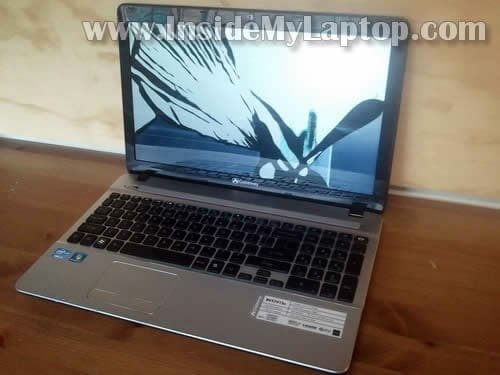
In this guide I’ll be replacing screen on a Gateway NV57H13u laptop.
In my case it was cracked badly.
This guide might work for some other Gateway models.
Turn off the computer and remove the battery before you start taking it apart.
STEP 1.
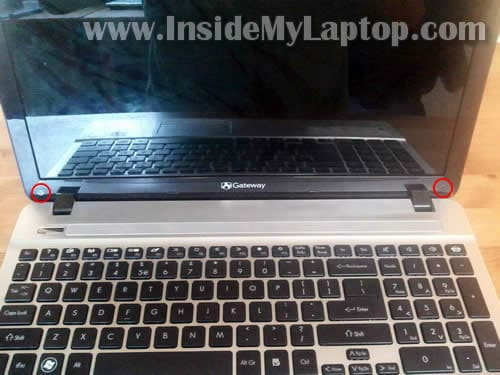
The screen bezel secured to the display cover by two screws located on the bottom of the bezel.
Both screws hidden under screw seals.
STEP 2.
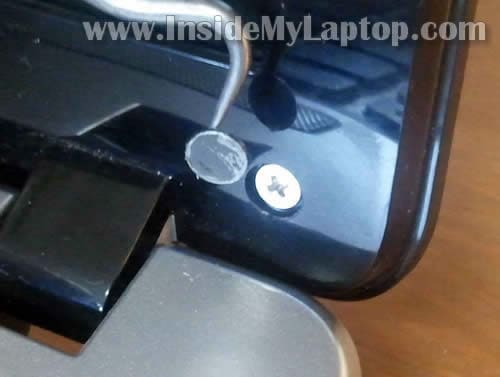
Remove both seals with a sharp tool.
Remove both screws.
STEP 3.
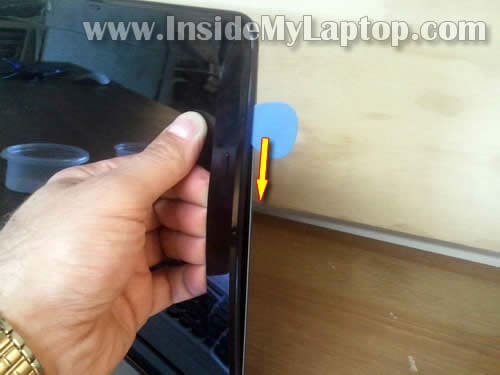
Start separating the bezel from the display cover. It’s not very easy because there are many hidden latches securing the bezel.
Insert your fingers under the bezel. At the same time insert a piece of soft plastic (you can use a guitar pick) and move it slowly along the side of the display.
Wiggle the bezel to disengage hidden latches.
STEP 4.
Continue separating the bezel on the top of the display.
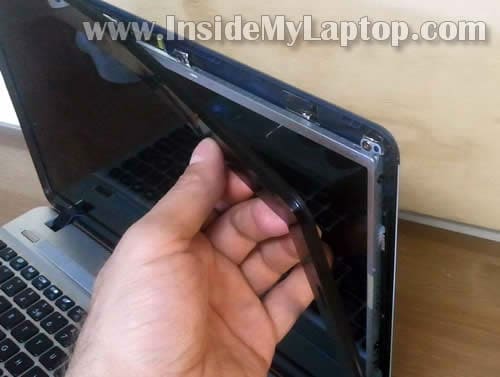
STEP 5.
When the top side separated form the display, move to the bottom side.
In order to separate the bezel in the hinge area, lift it up with a small screwdriver.
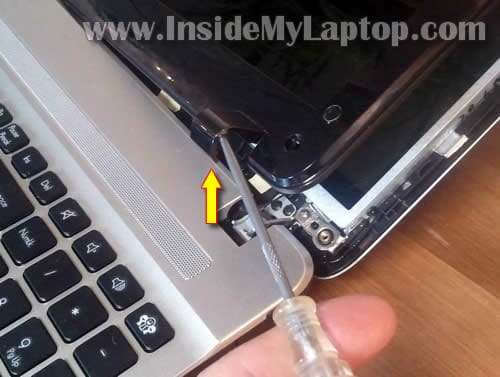
STEP 6.
The bezel has been removed.
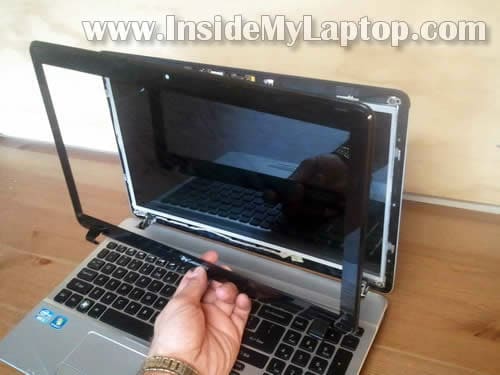
STEP 7.
Remove three screws securing the screen on the right side.
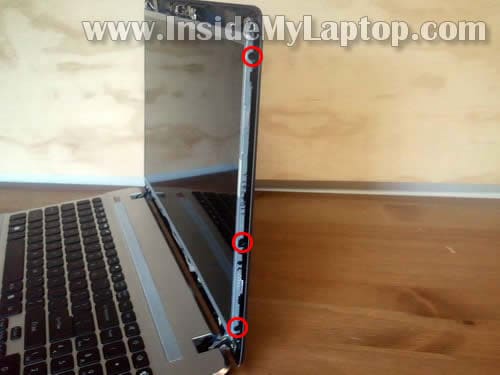
STEP 8.
Remove three screws from the left side.
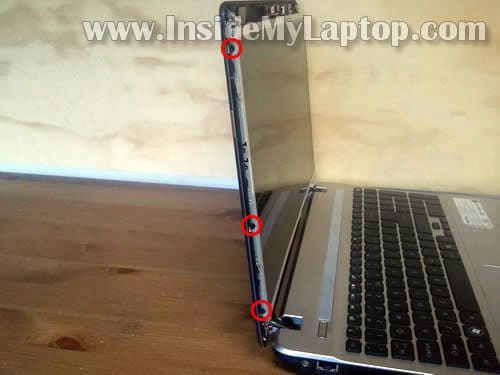
STEP 9.
Unplug cable from the webcam module.
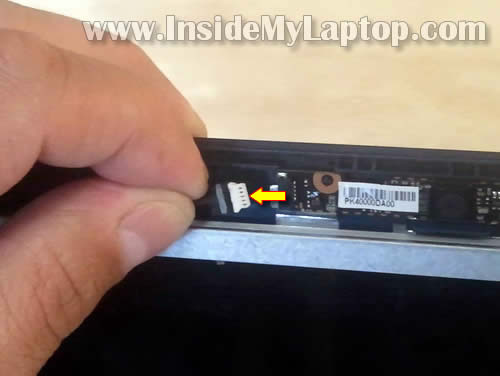
STEP 10.
Carefully separate the LCD from the display cover and place it face down on the keyboard.
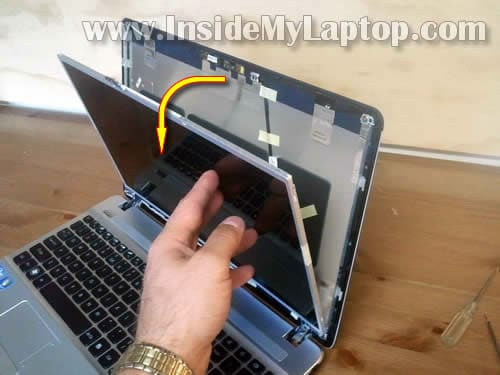
STEP 11.
Now you can access the video cable.
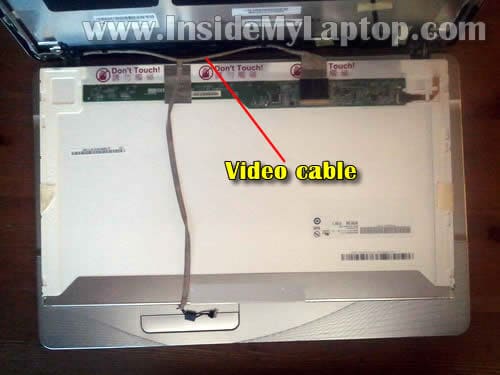
STEP 12.
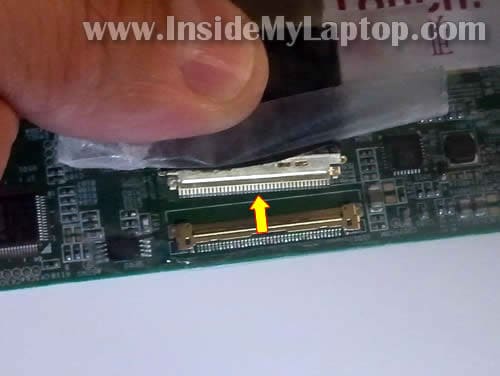
Remove sticky tape securing the video cable connector.
Unplug the video cable connector.
STEP 13.
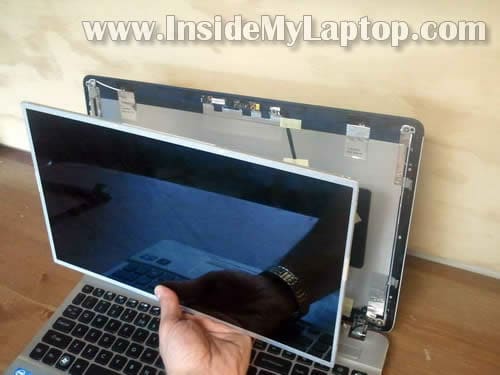
Remove the damaged screen. Now it’s ready for the replacement.
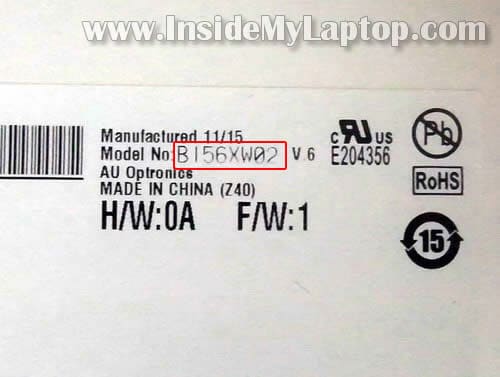
You can search for a new replacement LCD using the model number from the original part.
In my Gateway NV57H13u the LCD screen had the following model number: B156XW02 v.6.
Cody
This guide works for the Gateway NV55C03U. I’m not entirely sure if it’s the same screen size, 15.6, but I believe it is and is using the same front bezel.
Also, if you know of anywhere that actually has this front bezel in stock, or if you have a spare, email me, it’s entered in the email field.
IML Tech
@ Cody,
You can find screen bezel for Gateway NV55C notebook on eBay.
Carrie
Hi, my laptop is NV57H13U as well. My laptop would have the same model number? Thanks.
Monica
works for NV55c35u thank you
Sam
I need a guide for the NV55S03u that shows how to replace the CPU with another, I bought an A8-3500M to replace a A4-3300M :L I can’t find one yet 🙁
IML Tech
Sam,
Maybe it’s similar to this one?
https://www.insidemylaptop.com/disassemble-asus-n53s-laptop-fix-dc-power-jack/
Nic
My Gateway id59 had something snap to the right of the touchpad, does anyone know what is in that area or where I could find out?
IML Tech
@ Nic,
What is your problem? The touchpad stopped working? The touchpad button stopped working? Or what?
Margo
how do you know which replacement screen to order? I have a gateway nv55c03u but not sure if I need a CCL or LED – I can still use my computer so I don’t want to open it up to look inside for a part number. thanks
IML Tech
@ Margo,
Carefully separate the bezel from the screen on the bottom of the display assembly and look inside.
If you have a CCFL LCD installed, you’ll see the inverter board mounted on the bottom part of the display assembly.
Annette
I need a repair guide (replacing the fan) for Gateway NV59C09U. Thanks! 🙂
vignesh
hello sir,
i need GATEWAY NE46Rs laptop dissassembly giude with (if available ) photos,,because i need to replace ram on my laptop