


In this guide I explain how to replace LCD screen on an Asus K53U.
This is my second guide for this model. In the first guide I explained how to disassemble Asus K53U body and access internal components.
This guide might fit some other Asus models. If it works for you please mention the model number in the comments.
Make sure the computer is turned off and battery REMOVED before you start taking it apart.
STEP 1.
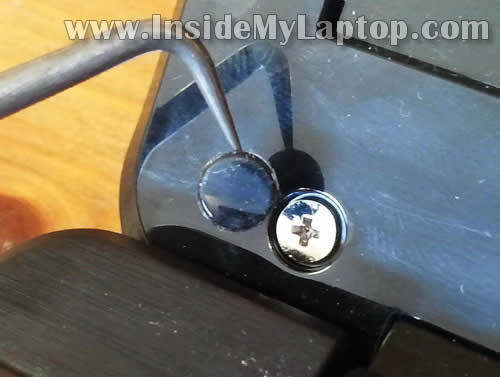
There are two rubber screw covers located in the lower left and right corners of the display bezel.

STEP 2.
Remove both screw covers with a sharp object. Glue them (they have stick tape on the bottom) somewhere on the bezel so covers don’t get lost during the disassembly process.
Remove both screws found under the covers.
STEP 3.
Stat separating the bezel from the display back cover.
Insert your fingers under the bezel. You’ll have to wiggle the bezel in order to unlock hidden latches securing it to the display back cover.

STEP 4.
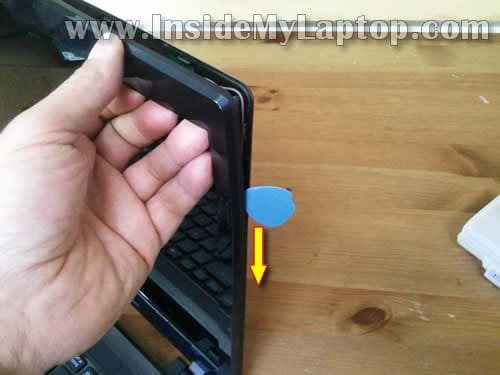
Also the guitar pick (or any other piece of plastic) can be very useful. Insert it between the bezel and back cover and slowly move along the side.
STEP 5.
When the bezel separated from the back cover on the top, move to the lower part.
STEP 6.
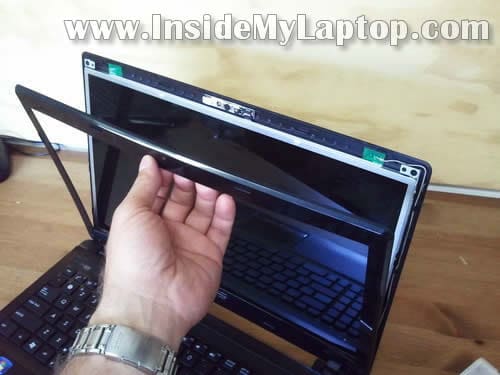
Insert a sharp object under the hinge cover and lift it up.
The hinge cover is part of the bezel.

STEP 7.
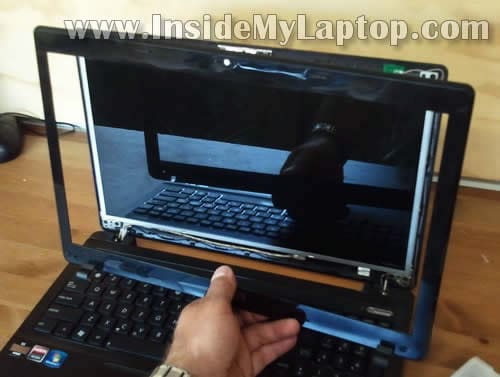
Remove the screen bezel.
STEP 8.
Remove two screws securing the LCD mounting brackets on the top.
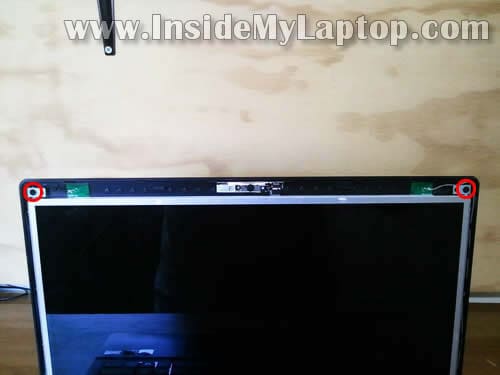
STEP 9.
Loosen (do not remove completely) four screws securing the mounting brackets on the bottom.
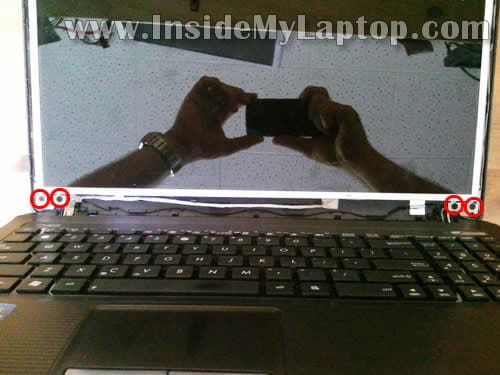
STEP 10.
Now you should be able to separate the LCD from the back cover just enough to remove screws on the side.
Remove four screws on the right side.
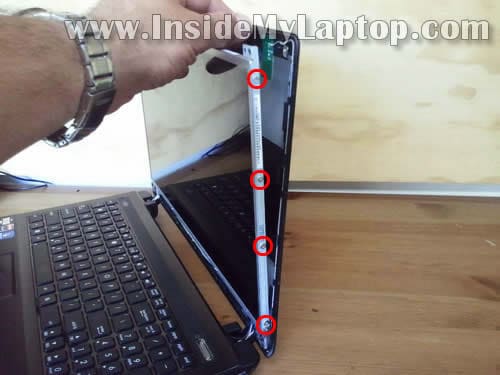
STEP 11.
Remove four more screws on the left side.

STEP 12.
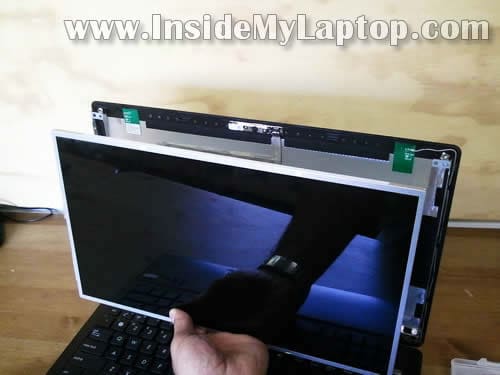
Place the LCD screen face down on the palmrest.

STEP 13.
Now we’ll have to disconnect the video cable.

STEP 14.
Remove clear tape securing the video cable connector.
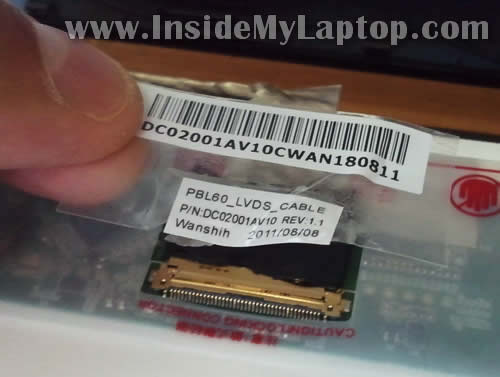
STEP 15.
Unplug the video cable.
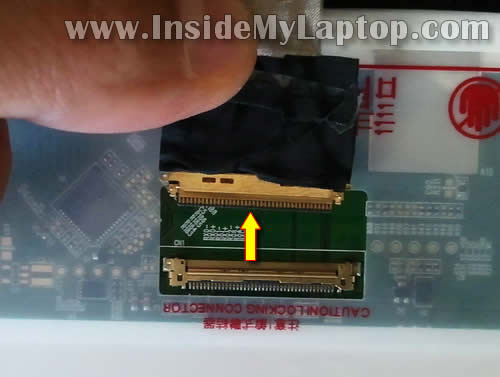
STEP 16.
Remove the laptop screen. Now it’s ready for the replacement.
The best way to find a new compatible LCD is searching by the model number.
In my Asus K53U I had the following screen installed: N156BGE-L21 Rev. C1.

Crony
I have an ASUS K52 that was recently repaired at a laptop shop, but it does not go into sleep mode when I close the lid. After hearing of a magnet I stopped by and explained that this is controlled by a magnet, but he swears there is no such thing and will not listen to me. Surely a 25 year vet in the service has worked on a laptop where there is a magnet that controls the sleep/close lid function. He wants me to prove it. Problem is, I can’t find the K52 layout, and after talking with ASUSTek, they will not let me know WHERE or WHAT I am looking for in this thing. Seeing your K53 disassembly gives me hope, can you provide a picture of what/where the magnet is so that I can finally fix my ASUS K52JT laptop? Please email me if you need something else from me. Thank you for your time.
mike
I don’t know your name, but thanks a lot for this guide. If i donate, how is my money distributed? Does it all go to the author, or is it somehow distributed among several parties?
IML Tech
@ mike,
It goes 100% to the author. 🙂
Daniel Cantu
Thanks for the instructions. I used the bottom case replacement guide that you published and replaced it because the hinges were broken. I looked at this guide and was wondering if you could point me in the direction of checking why the screen no longer works. I looked at the wiring inside the case and inside the screen- neither looked damaged from what I could tell. The screen was not working prior to the disassembly. Thanks in advance.
IML Tech
@ Daniel Cantu,
Did you test the laptop with the external monitor? Does external video work at all?